


Windows 10 reached EOS (end of support) on October 14, 2025. If you are on Windows 10, see this article.

Search Support

Avoid support scams. We will never ask you to call or text a phone number or share personal information. Please report suspicious activity using the “Report Abuse” option.

Learn More

Non Add-on

  • 4 replies
  • 0 have this problem
  • 117 views
  • Last reply by jonzn4SUSE

I have a issue with a browser add-on There is a triangle icon with Len dau English: triangle icon - Go to Top I can not find any way to remove or I have know Idea how it was installed

Any help please

I have a issue with a browser add-on There is a triangle icon with Len dau English: triangle icon - Go to Top I can not find any way to remove or I have know Idea how it was installed Any help please

Attached screenshots

All Replies (4)

Open your profile by going to about:support in the browser. see screenshot Then you should see the option to open your profile folder. In windows explorer look for a folder called extensions. You should see something related to that add-on. Post a screenshot the folder.
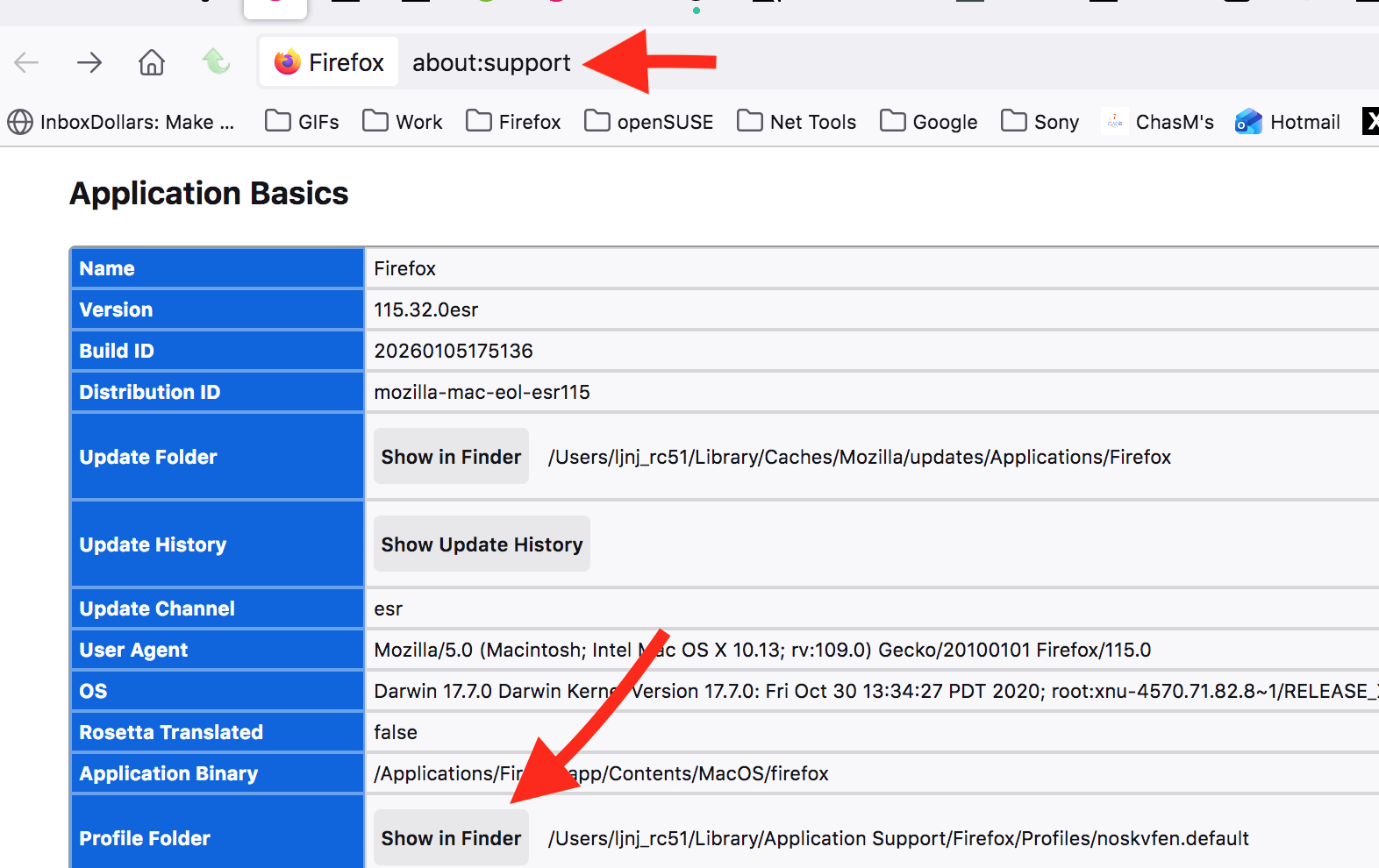
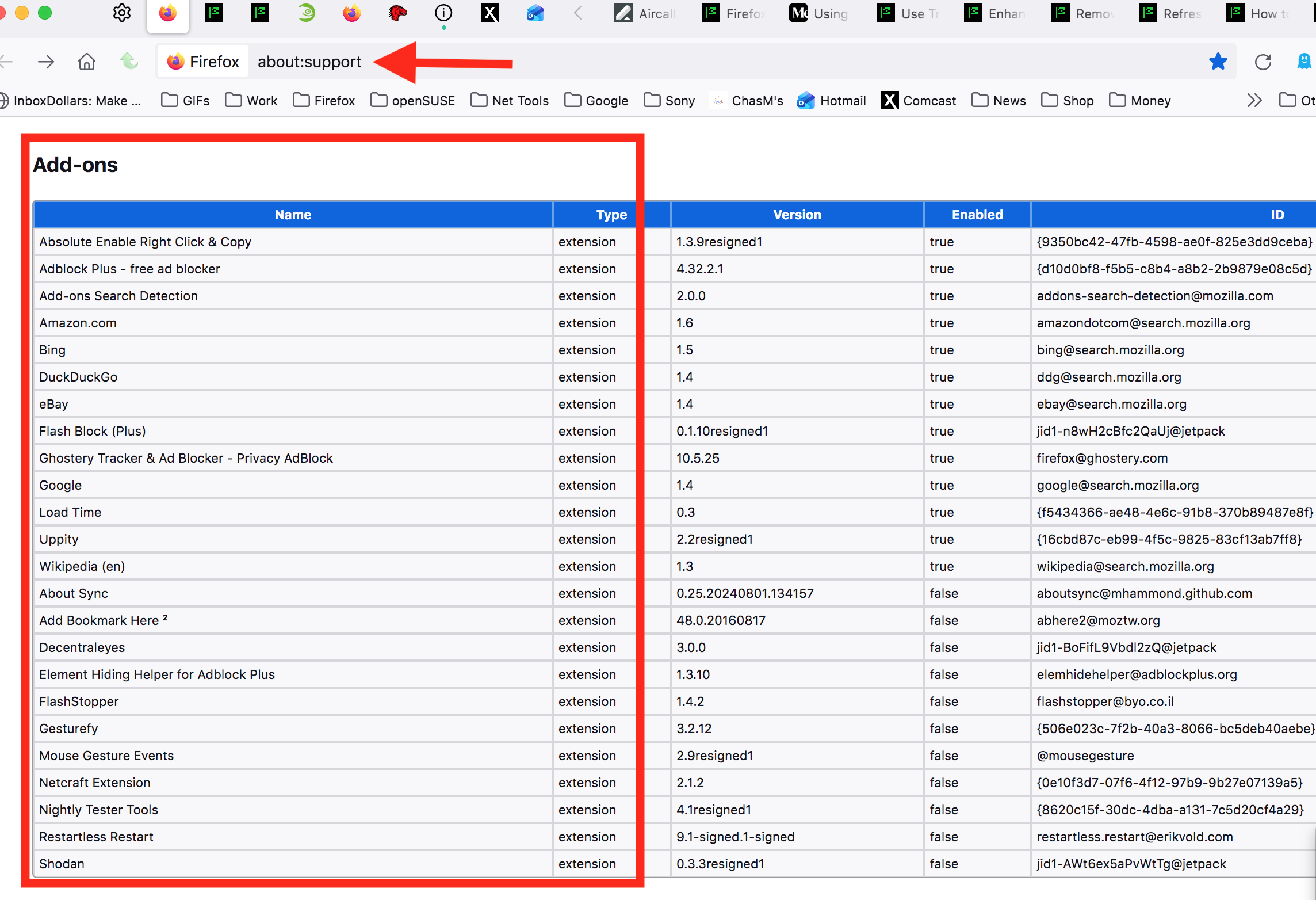
Modified by jonzn4SUSE

I have gone thru the default profile extinction folder and the end result was nothing for Len dau or go to top in the folder. Any Ideas, I have search the web for info about Len dau or go to top but nothing I can fined about this extinction or how it got into firefox

Are you going to give me more support for this issue? Or just leave me here in space with no support!

I have never added any extensions other than the ones posted on the Firefox site. How do I get rid of this issue.

Modified by ontherun

Roger that. Post similar screenshots like mine above and also post a screenshot showing what's in your extension folder. see my current add-ons and extension folder on this computer. see screenshot

Ask a question

You must log in to your account to reply to posts. Please start a new question, if you do not have an account yet.