


Windows 10 reached EOS (end of support) on October 14, 2025. If you are on Windows 10, see this article.

Search Support

Avoid support scams. We will never ask you to call or text a phone number or share personal information. Please report suspicious activity using the “Report Abuse” option.

Learn More

This thread was closed and archived. Please ask a new question if you need help.

DISABLE Picture-in-Picture

  • 1 reply
  • 0 have this problem
  • 113 views
  • Last reply by Paul

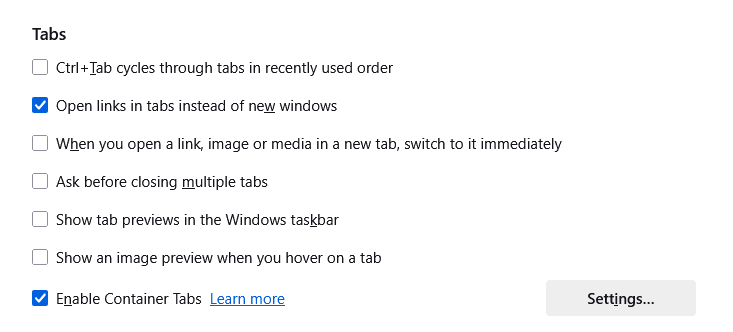
Why is there a setting that doesn't do [expletive]? Picture-in-picture can't be disabled through settings or about:config..... So how the living [expletive] do I disable [expletive] buggy [expletive]? And how the [expletive] do I set it to continue playing even after closing the small picture? Why is there no [expletive] setting for this while you have a setting that doesn't do [expletive]?
Why is there a setting that doesn't do [expletive]? Picture-in-picture can't be disabled through settings or about:config..... So how the living [expletive] do I disable [expletive] buggy [expletive]? And how the [expletive] do I set it to continue playing even after closing the small picture? Why is there no [expletive] setting for this while you have a setting that doesn't do [expletive]?
Attached screenshots

Modified by Paul

All Replies (1)

Hi

I am going to edit your question for the language you are using. This is an open forum and we try to keep things family friendly around here.

I am also going to close this thread to give you an opportunity to read the Mozilla Community Participation Guidelines before asking your question again in a much nicer fashion.

https://www.mozilla.org/en-US/about/governance/policies/participation/

Thank you