

This thread was archived.
Please ask a new question if you need help.

Archived
Can Mac native "Look up words" function be enabled?

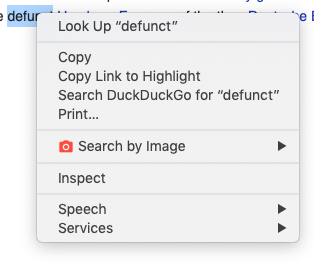
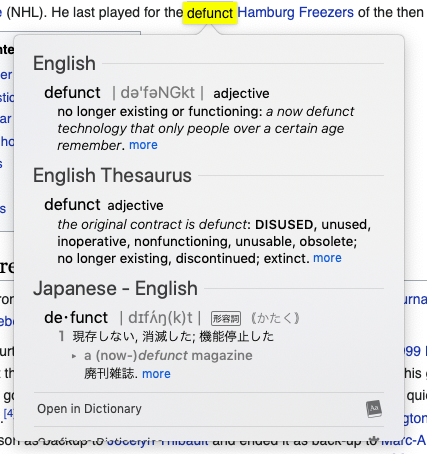
Back when I used Chrome, there used to be an option when you could right-click a word and get an option in the context menu to "look up". In Firefox this doesn't seem to be the case. Is there a way to enable this? For those of you who don't know what feature I'm talking about, here's Apple's write up: https://support.apple.com/guide/mac-help/look-up-words-mchl3983326c/10.14/mac/10.14
I've also included screenshots of the feature working in Chrome.
Back when I used Chrome, there used to be an option when you could right-click a word and get an option in the context menu to "look up". In Firefox this doesn't seem to be the case. Is there a way to enable this?
For those of you who don't know what feature I'm talking about, here's Apple's write up: https://support.apple.com/guide/mac-help/look-up-words-mchl3983326c/10.14/mac/10.14
I've also included screenshots of the feature working in Chrome.
All Replies (1)
Hi Christine
You might want to try this add-on:
https://addons.mozilla.org/en-US/firefox/addon/dictionary-anyvhere/