


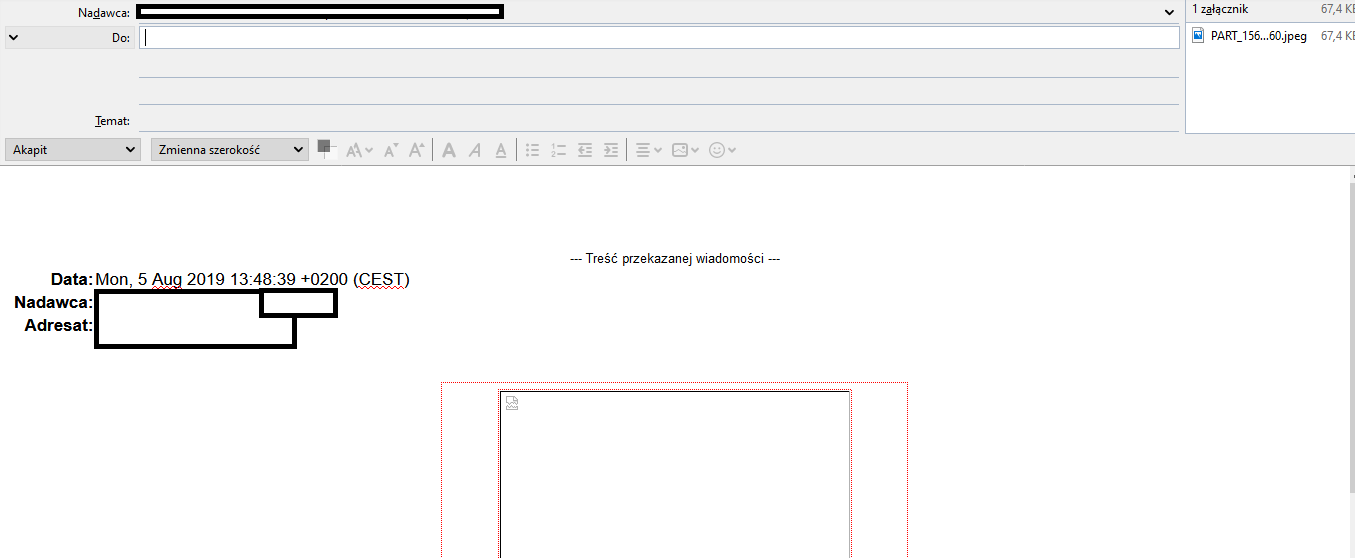
i don't see image in creator
I have an email with image in mail. Not attchment. The image is in the message. When i click "forward" the image is destoryed and putted in attachment. I was to send email with image in message not attachment. Can somebody help me?
All Replies (5)

How do you compose messages, in plain text or HTML?
How do you view messages, in plain text or HTML?
Both in HTML

HI One setting to check - in Options - Composition - General tab Is Thunderbird set to "forward messages" - inline, or as attachments? Try setting this to Inline if it is not already. Let us know if changing that setting helps. Agnes
Is set in "inline"
My best guess: The image in the received message is only linked, but not embedded in the message. It's loaded from a server when the message is opened. However, upon replying to the message, the image isn't dynamically loaded from the server in the compose window, or it may be located at a path not available to your Thunderbird. So you don't see the actual image in the compose window, but only a placeholder. I may be wrong.