


How can I get 24-hour clock format widgets?

When opening a new page in Firefox I am shown a few widgets.
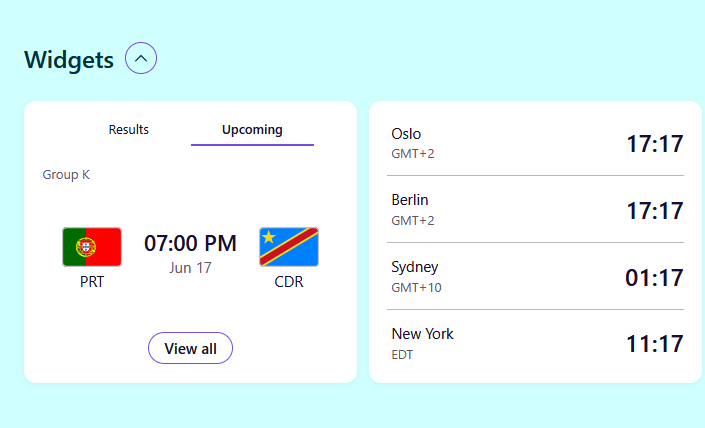
It shows the time of sports events and different timezones. But it shows this in a non-local time format - the 12 hour format (so it says 06:00 PM instead of 18:00).
In about:config I found a setting called "browser.newtabpage.activity-stream.widgets.clocks.hourFormat" but what are the acceptable formats to use here? It's not a boolean value, and by default nothing is there. I tried writing 24, HH:mm, and some other things, but didn't notice a difference.
ყველა პასუხი (3)

hi, try in about:config, set browser.newtabpage.activity-stream.widgets.clocks.hourFormat to 24h or a locale like en-GB then restart browser
I discovered that the Clock widget actually has a built in GUI option to switch to 24 hour format. This sets browser.newtabpage.activity-stream.widgets.clocks.hourFormat to "24" and is effective immediately, no restart required.
However, this does not impact the Sports widget, which seems to ignore the setting.
ჩასწორების თარიღი: , ავტორი: reking67
hi, it's good that you checked this, the time format settings work for the clock widget. Apparently, the sports widget uses its own time formatting