

このスレッドはアーカイブに保管されました。
必要であれば新たに質問してください。

アーカイブに保管済み
Can I customize keyboard shortcuts or turn one of them off?

I have a keyboard on which the keys are slightly farther apart than normal. When I use ALT + the down arrow, I often hit the back arrow by mistake which takes me back a page and, the page I want to be on cannot be reloaded pre-mistake. I would like to turn off just this one shortcut. I use the others all the time.
I have a keyboard on which the keys are slightly farther apart than normal. When I use ALT + the down arrow, I often hit the back arrow by mistake which takes me back a page and, the page I want to be on cannot be reloaded pre-mistake. I would like to turn off just this one shortcut. I use the others all the time.
すべての返信 (1)
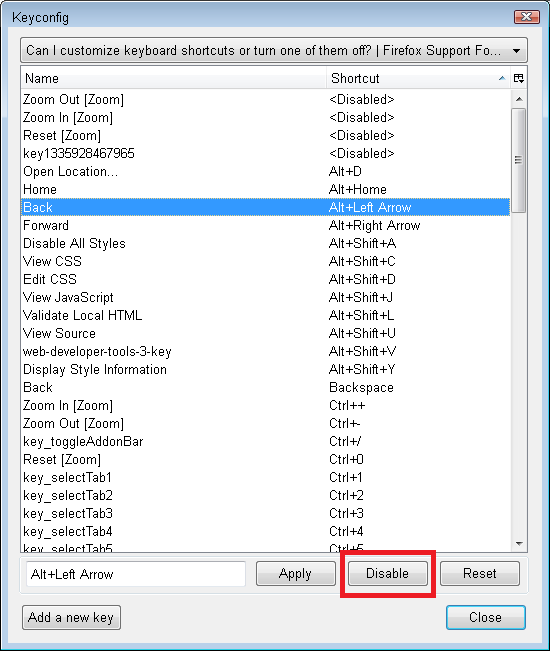
You can do it with the keyconfig extension.
Note that there may be other extensions with the same name. I'm referring to the one distributed from the following forum post:
http://forums.mozillazine.org/viewtopic.php?t=72994
(Edit: added screen shot)
この投稿は jscher2000 - Support Volunteer により に変更されました