


Why are my drop-down menus blacking out?

The selections below my drop-down menus keep blacking out - for example, I'll click on my Bookmarks list, and as I try to scroll through the bookmarks, every selection blacks out so that you can't actually see the bookmarks except for the one at which the mouse is currently pointing. This occurs with all drop-down activities, including when dropping down from the orange Firefox button and working through those menu selections. Also, when scrolling, I can only use the scroll wheel on my mouse, I'm unable to use the mouse arrow to click on the scroll up/down bar on the right of the screen.
すべての返信 (12)
No - it still keeps happening.
Since all of the problems involve scrolling or selecting, could it be a mouse driver?
If it is happening in other programs the error may be due to other reasons as you have noted. Can you also attach a screenshot: Add images: Browse below Post a Reply on this page.
The problems are only happening in Firefox (no issues at all with Microsoft products, for example). Two screenshots (.png format) attached.
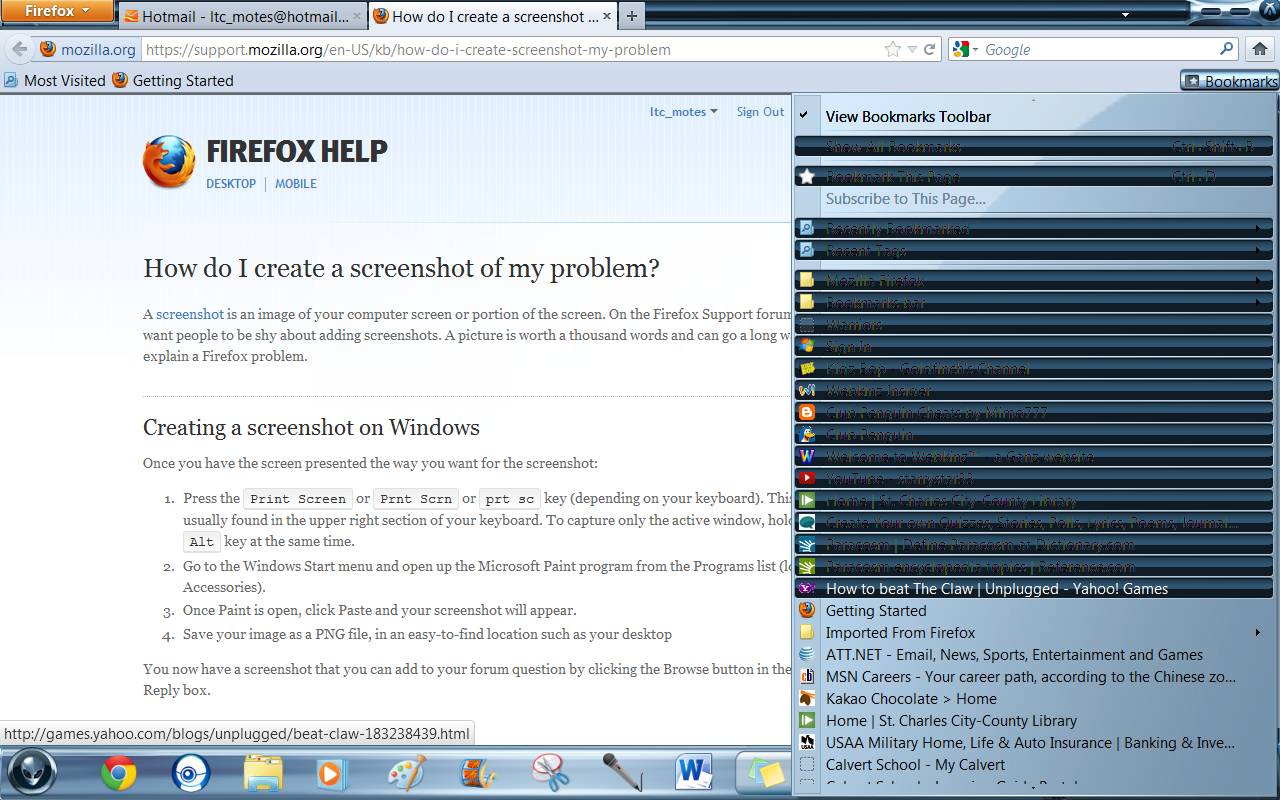
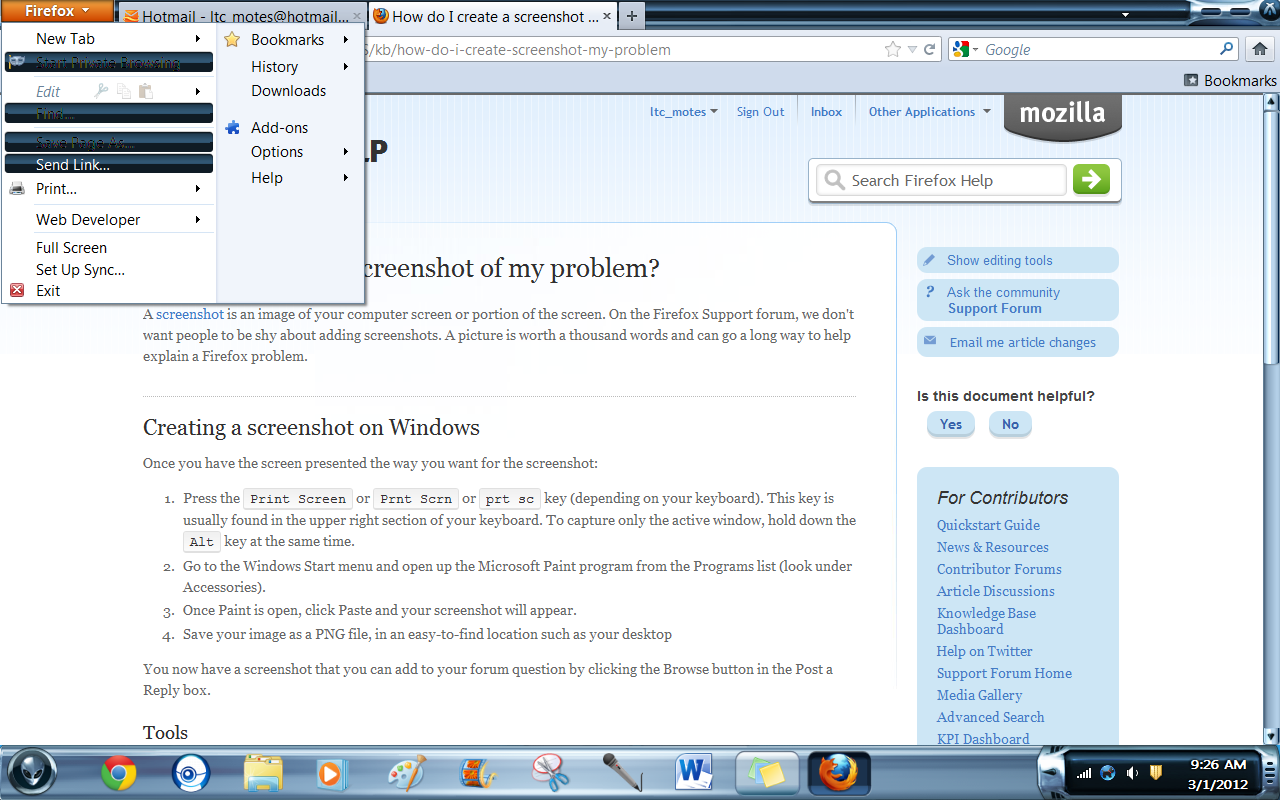
Perhaps the Windows theme isn't compatible. You can also try to make adjustments in the theme if it provides the settings.
How do I do that?
Are you referring to the desktop theme in Windows? If so, it's not that (I just tried it).
One issue fixed - I fixed the scrolling issue by going to Options - Advanced and checking Use Smooth Scrolling block. However, still have the blacked out items from the drop down menus (as shown in the screenshots I sent).
I ran the Microsoft Fix It, but it didn't detect any errors.
You can also try checking Firefox in Windows Safe Mode.