


I was unable to work on the South West Airline, error message such as : no outbound airport was found... When I swiched to Internet Explorer, I was able to work on this South West Airline website. Please help. Thanks

With Firefox as browser, when working on the South West Airline website, when I clicked on the airport code or on their calendar, nothing happened such as showing airport location or the calendar to work on. with Internet Explorer, no such problem. Thanks
すべての返信 (2)
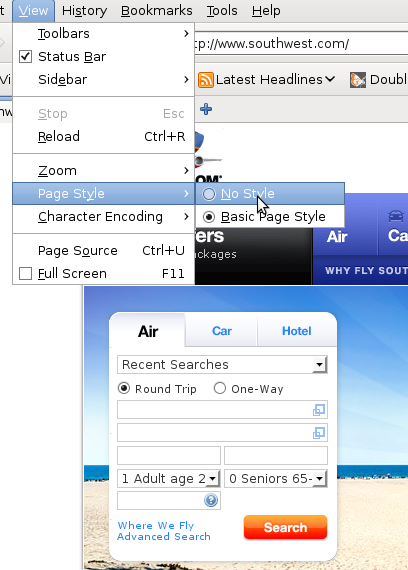
One work around is to disable CSS on southwest.com:
Toolbar -> View -> Page Style -> No Style
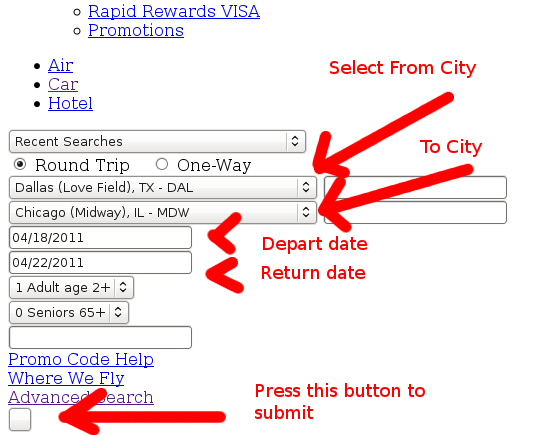
The page will convert into a plain linear page that looks like it was from 1994. Scroll down to where it says Round Trip and One Way and select your airport there. Press enter in one the text boxes. After the first page, you should be able to go back to the normal presentation of the website:
Toolbar -> View -> Page Style -> Basic Page Style
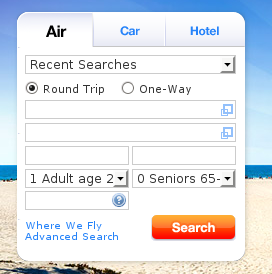
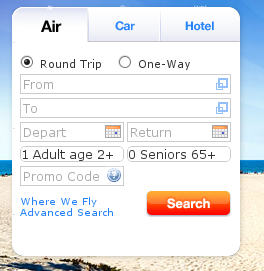
Hi Mark, It works. Thank you. Although the Southwest Airline website does not look like its original , but it works. Thank you.