


new in 158: state ad blocker setting is at SETTINGS > BROWSING. Nope. not BROWSING option

new in 158 states:
"Ad Blocker uses Apple’s WebKit Content Blocker technology and the EasyList filter list to determine what gets blocked. There’s no separate extension to install, and you can turn it on in Settings > Browsing > Ad Blocker. It’s off by default, so you decide whether to use it."
There IS NO SETTINGS > BROWSING tab in settings. Where is this? and why is the doc even wrong?!!!
I'm running 158.0.1 on windows 10 pro.
この投稿は alex_mayorga により に変更されました
すべての返信 (8)

“There IS NO SETTINGS > BROWSING tab in settings” Open the URL to view
it looks like my post got messed up. Part is missing and a long quote ("Ad Blocker uses Apple...") appears added.
it should read:
=====================================================
Instructions say:
" At the bottom of the screen, tap the menu button (which is shown as three horizontal dots).
Tap Settings in the menu panel.
Tap Tracking Protection"
I'm on Windows 10 PRO pc. Running FF 158.0.1. 1. There is NO MENU BUTTON (anywhere on my screen) as described.
   a.  my MENU button is AT TOP RIGHT of the location bar

   b.  It is 3 horizontal BARS (not dots).
2. Opening TOOLS > SETTINGS (from menu bar) reveals
no TRACKING PROTECTION tab.
So, I'm at a loss as to how to change this setting. ======================================================== (end original) so, what URL are you referring to? and where are the things the article mentions (like the 3 dot menu button)?
"Ad Blocker uses Apple’s WebKit Content......" Ad Blocker for Firefox on iOS https://blog.mozilla.org/en/firefox/ad-blocker-on-ios/
windows 10 pro Requires a separate installation of Adblock Plus or uBlock Origin https://addons.mozilla.org/en-US/firefox/addon/adblock-plus/ https://addons.mozilla.org/en-US/firefox/addon/ublock-origin/
it looks like you don't understand what I'm saying.
The release notes talked about SETTINGS > browsing
that does not exist on Firefox pc. The release notes did notl EXPLICITLY STATE that that setting is only applicable to Firefox IOS. plese correct me if I am wrong about this.,
Can you link the exact URL where you read it? The quote you posted comes from a blog article that mentions it's iOS–only, desktop release notes have no mention of mobile features, and the "What's New" for 158 also mentions it's a mobile/iOS–only feature: (emphasis mine)
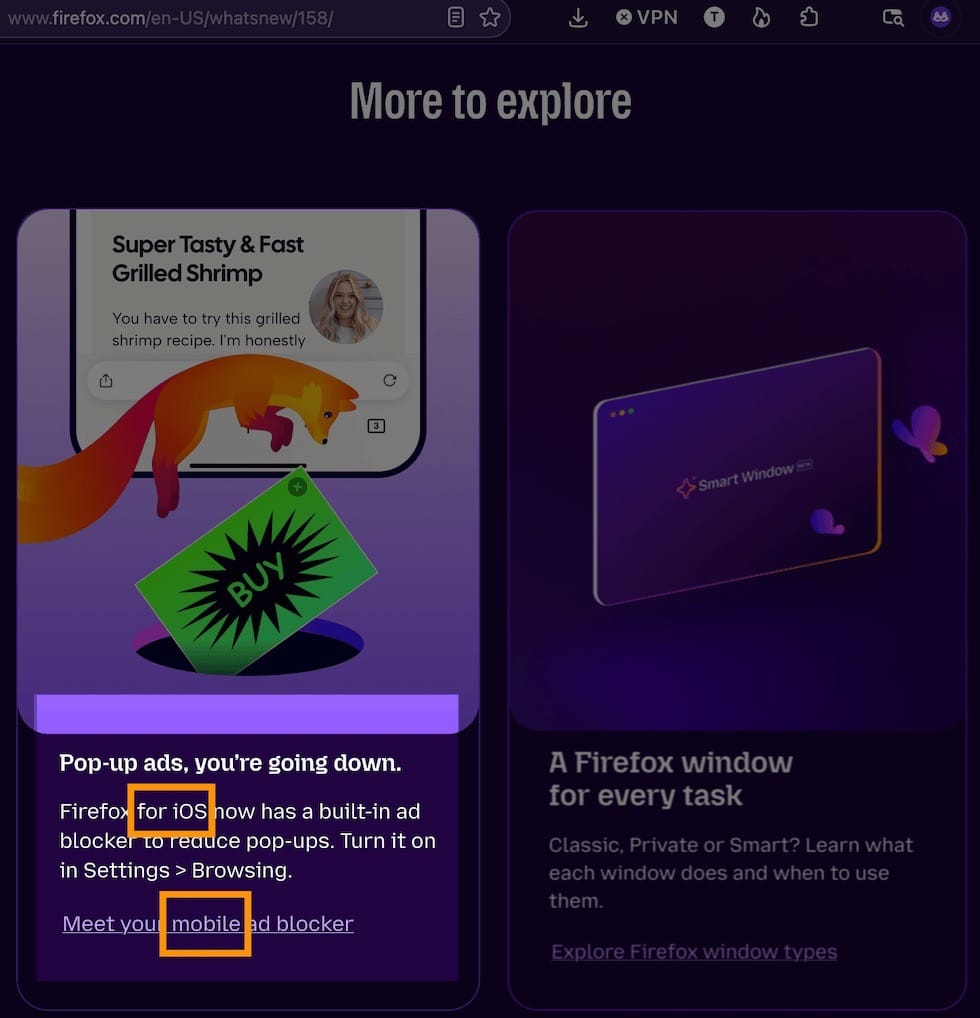
If you recall the exact address where you saw it that would be helpful to check, in case the information is not labelled there correctly. Thanks!
that's good to know. BUT!!!!!
Because I read this article--sorry, I have not yet found the exact URL--when the information was PRESENTED TO ME on my Windows PC when I updated FIREFOX, I CAN NOT UNDERSTAND WHY I WAS PRESENTED INFO ABOUT AN iOS operating system.
Not sure I can even find the URL, since I CAN'T RECREATE getting sent this URL because it was done when I updated FF. Is there a way for me to find out the TIME and DATE Firefox was updated? I would hope it's in some about: .... screen.
この投稿は Joe P により に変更されました
about:support › "Show Update History"