


Cannot sync calendar with iPhone

I want to sync calendars across Thunderbird and iPhone. (Linux Mint 22 Wilma, Thunderbird 140.14.1 esr)
I am trying to use the Apple calendar server to sync with. Using the Create New Calendar dialog box in Thunderbird, then applying the Apple-assigned password, Thunderbird returns "Could not find calendars at this location. Please check your settings."
I would appreciate help with this.
すべての返信 (12)
Do you have used instructions similar to https://share.google/C3YHLuA3hCIQ6cHjE ?
Thanks for your reply. I know my description was brief, but it was exactly those steps.
Tbird's answer is always "Could not find calendars at this location. Please check your settings."
I am trying to use the Apple calendar server to sync with. Using the Create New Calendar dialog box in Thunderbird, then applying the Apple-assigned password,
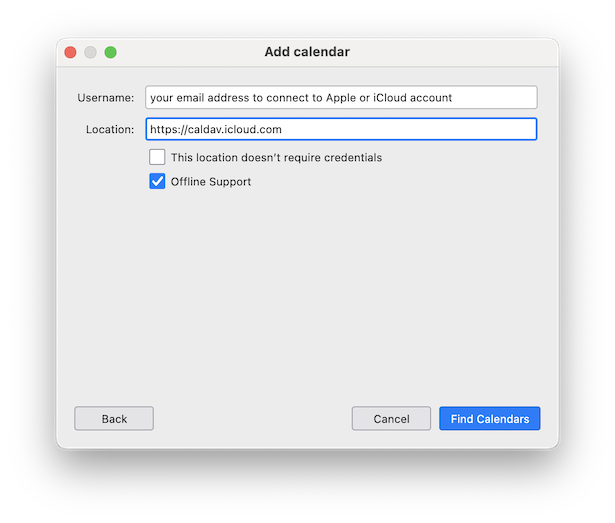
Does "Apple-designed password" the app-specific password from Apple to be used in Thunderbird? Do you have an Apple or an iCloud account? Then in the Add Calendar dialog box you have to fill in as "Username" the email address which you use to connect to your Apple or iCloud account (see image)
Thanks Mapenzi for sticking with me.
My bad, I missed the URL https://caldav.icloud.com. (It's not in other similar instructions.)
Now the connection seems to be accepted.
However, there's no syncing. At this stage I have different calendar entries in Tbird to those on my phone. I still need them merged.
Are you please able to advise me on that?
There is much further information needed before I'll be able to solve your problem. I am a Mac user, I have an iPhone and I use iCloud, so all calendars on my iMac computer are synchronised with my iPhone and Thunderbird via CalDav. But I am not familiar with Linux and don't know whether you use a calendar on your PC or only on your iPhone...
blindfriar said
Now the connection seems to be accepted.
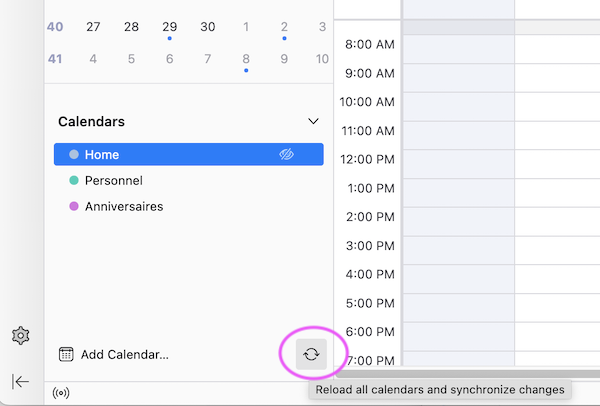
What does this mean? When you open the Thunderbird Calendar tab and look at the Calendars list in left pane, do you see the TB default "Home" and beneath it your newly created CalDav calendar? To illustrate my question I'm adding a screenshot of the calendars list in one of my TB profiles. You'll see the "Home" calendar (which I do not use and which is disabled) and two CalDav calendars for personal events and for birthdays. They are automatically "refreshed" (synchronised) every 30 minutes, but you can also synchronize them manually with a click on the "Reload..... and synchronize ...." button.
blindfriar said
However, there's no syncing. At this stage I have different calendar entries in Tbird to those on my phone. I still need them merged.
If in TB you have successfully created a CalDav calendar for your iPhone calendar it should automatically (or manually) sync with your iPhone!! But maybe before creating the CalDav calendar you already have been using the "Home" calendar in TB. You cannot sync the "Home" calendar with your new CalDav calendar.
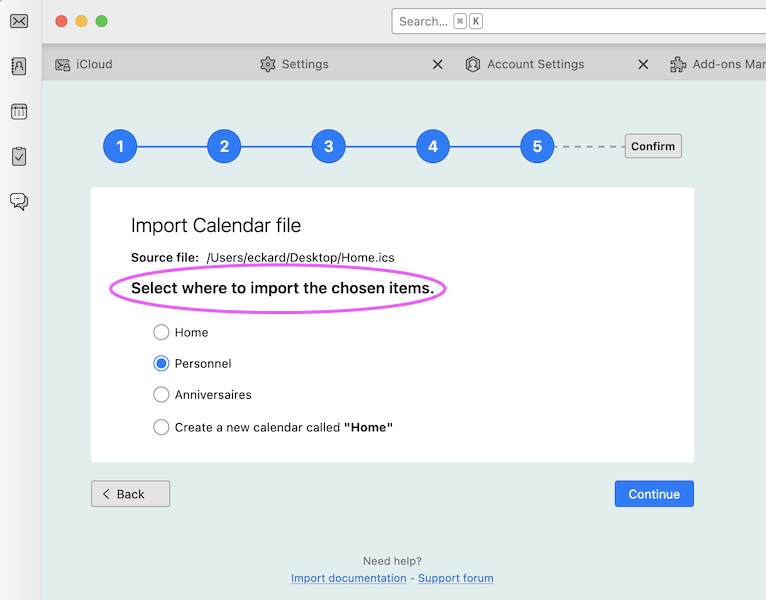
If in the future you will use only the CalDav calendar and disable the Home calendar, you can merge them as follows: R-click on Home calendar > Export Calendar...., choose *.ics as format and save as "Home.ics" file; in the TB menu go to Tools > Import... > Import from a file > Import Calendars, navigate to and select the "Home.ics" file and click "Open", then "Continue" and select your CalDav calendar to import the chosen items (second image)
Thank you Mapenzi
I realised from your message that I was looking at the wrong calendar.
So I have now copied calendars over and deleted those I didn't need.
What I now have are similar but not identical calendars on desktop TB and iPhone. I can make a calendar entry in TB and the New Calendar sync button sends it to the phone.
But a new calendar entry on the phone does not show up in TB. I can't see a way to trigger sync from the phone to the desktop.
I'm sorry but it is impossible for me to solve your problem without seeing your computer screen. You have "several but not identical" calendars in Thunderbird and on iPhone. How could I make a difference between identical and not identical calendars? I don't know how many calendars you have created on your iPhone, on your Linux PC and in Thunderbird nor which calendars you have created as CalDav calendars in Thunderbird.
"Several" is not the word I used.
What I now have are similar but not identical calendars on desktop TB and iPhone. I can make a calendar entry in TB and the New Calendar sync button sends it to the phone.
But a new calendar entry on the phone does not show up in TB. I can't see a way to trigger sync from the phone to the desktop.
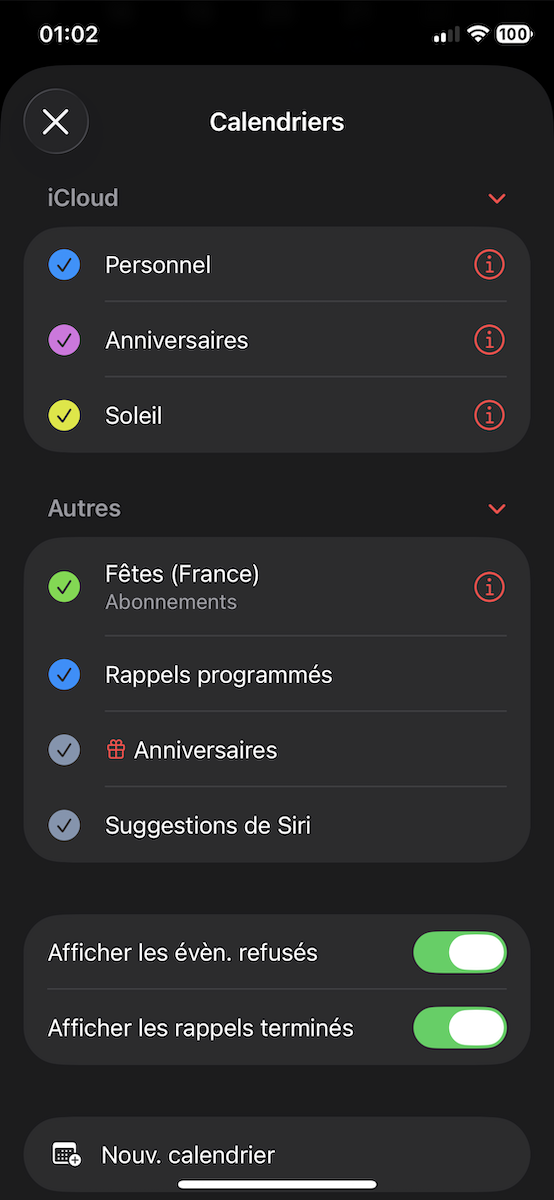
Which calendars are displayed on your iPhone and which are displayed in the Thunderbird calendar tab?
Thank you again Mapenzi for following up my issue.
On the phone, in the iCloud section
- Home
- Work
- Home
- Calendar
I think the last two were added when I achieved the iCloud connection.
In the Other section, all 4 are selected.
In TB, it's Home and Reminders
Creating a a CalDav calendar in Thunderbird for your iCloud calendar should not add a calendar on your iPhone! Sorry, I am unable to know what's going on.
Oh well, thanks anyway.