


I can receive but not send emails

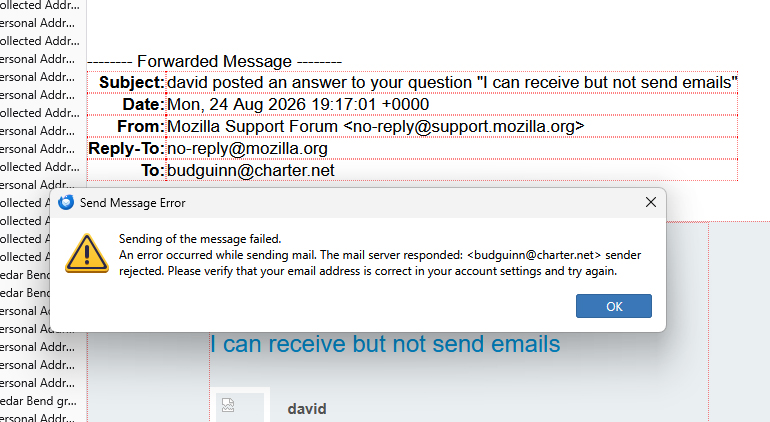
This is the message I get when I try to send a message. Sending of the message failed. An error occurred while sending mail. The mail server responded: <budguinn@charter.net> sender rejected. Please verify that your email address is correct in your account settings and try again.
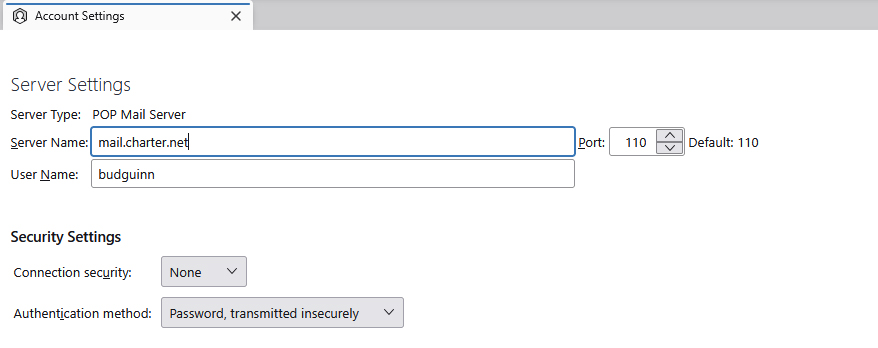
I have included a screen shot of my server settings.
すべての返信 (9)
That screenshot is not of your sending server info. but my guess is that you are not supplying your full email address. i suggest including the @ and all that follows.
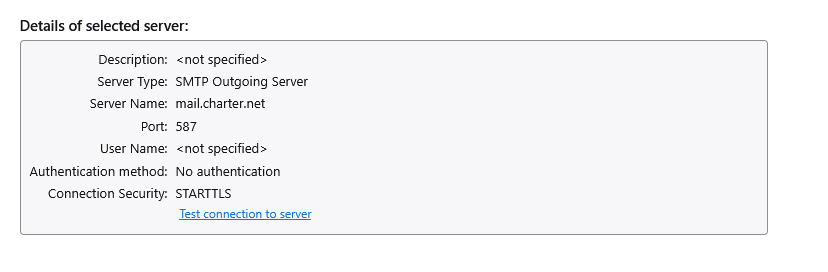
David, thanks for the quick response. I have checked and the email address is correct. here is a screen shot of the outgoing server... I have clicked the little check connection at the bottom and it says that the connection is good.
David, This has worked well for me for some 20 years or so. It came up many months ago but wasn't that big of a deal because I could still send emails just using one of my other email addresses. The others, gmail, all use an imap instead of pop server.
The error message is that you are not identified. And your smtp server has no user id in it. My guess is the email provider has tighted security a bit, as that setting allows anyone and everyone to use their server. I suggest it needs your user id because the error message states that it is needed.
この投稿は david により に変更されました
Again David, thanks. I went to the Charter/Spectrum site and signed into my email account. I was able to send an email to my self and one of my other email accounts without any problems. My account seems to be recognized by charter at their own site, but not when I use Thunderbird. I did check the things that you recommended and put my user id into the proper places... no joy. I appreciate your time on this.
Ok, please post smtp server setting screen shot again. the error message should now be different, I believe. send that also. email providers use different configurations for website access and third party email account access
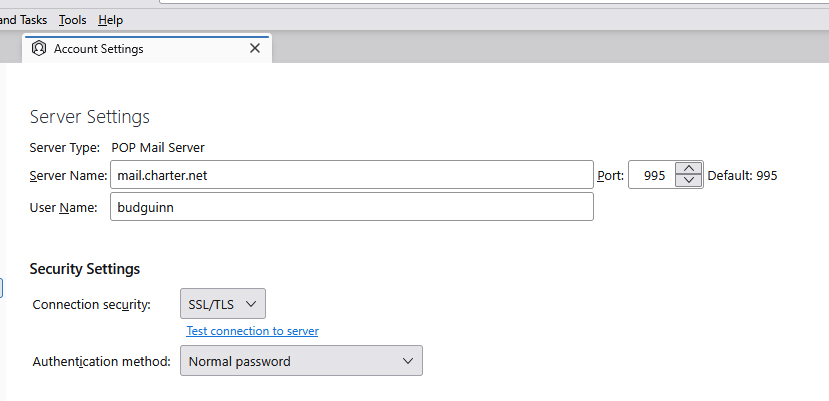
David, the error message appears to be the same. I have included the screenshot of the error message and the incoming and outgoing server screen shots. TIA bud
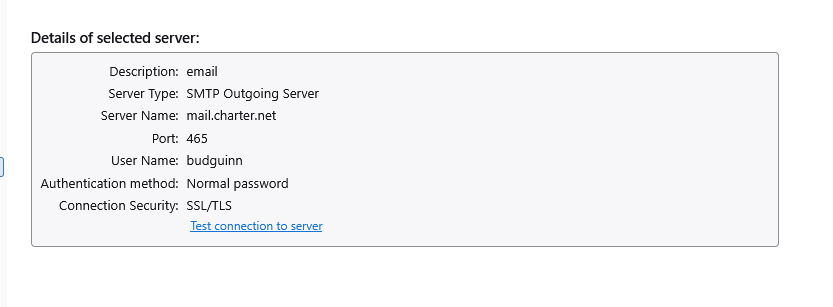
この投稿は budguinn により に変更されました
David, I did notice that the port numbers appear to have changed from the original post.
David, I tried changing the port back to the 110 that it was originally, but then the test for connection failed... put it back to the 995 and all is good on that port.... anyway it passes the test connection deal.