


Firefox not able to access a site
The problem that is occurring with Firefox is one website American Airlines, I can not log in to my account with Firefox, however Chrome has no problem logging in. Running Windows 11 up to date Firefox 147.03 64 bit. below is the error message I get Access Denied You don't have permission to access "http://www.aa.com/homePage.do" on this server.
Reference #18.450c3417.1770423478.9f1ea295
https://errors.edgesuite.net/18.450c3417.1770423478.9f1ea295
Thanks for any help. Rick
選ばれた解決策
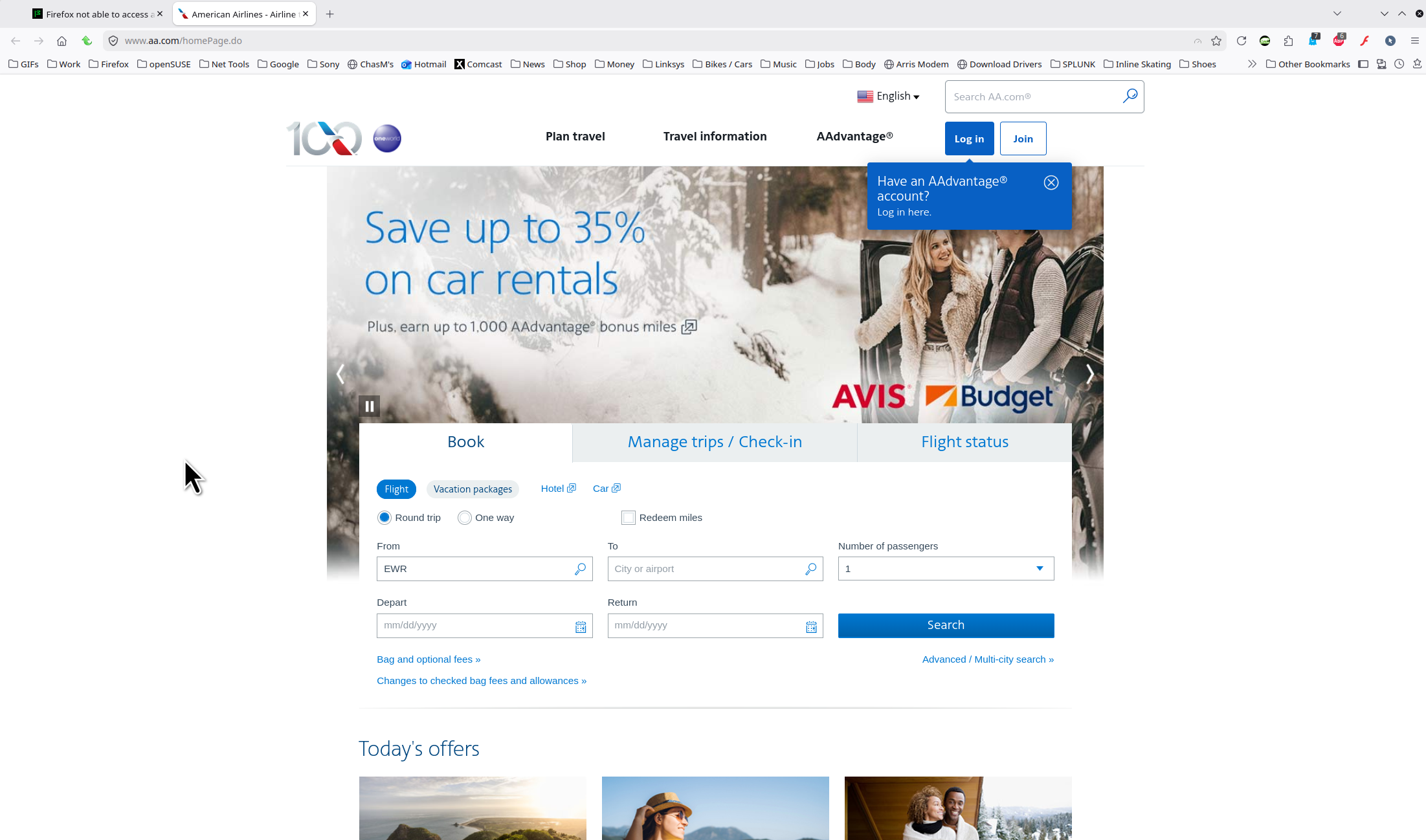
Windows, home or pro and what security software are you running besides MS Defender? It works for me. see screenshot
Did you try with Firefox in Troubleshoot Mode? https://support.mozilla.org/en-US/kb/diagnose-firefox-issues-using-troubleshoot-mode#w_how-to-start-firefox-in-4troubleshoot-modesf5safe-modesf
Did you try clearing the browser cache? https://support.mozilla.org/en-US/kb/how-clear-firefox-cache#
この回答をすべて読む 👍 0すべての返信 (2)
選ばれた解決策
Windows, home or pro and what security software are you running besides MS Defender? It works for me. see screenshot
Did you try with Firefox in Troubleshoot Mode? https://support.mozilla.org/en-US/kb/diagnose-firefox-issues-using-troubleshoot-mode#w_how-to-start-firefox-in-4troubleshoot-modesf5safe-modesf
Did you try clearing the browser cache? https://support.mozilla.org/en-US/kb/how-clear-firefox-cache#
この投稿は jonzn4SUSE により に変更されました
Window 11 pro ESETHome security software. I tried your suggestions and still same problem. re-tested Chrome and it still works. Thanks for the suggestions anyway. Rick