I can't translate the page from English to Russian

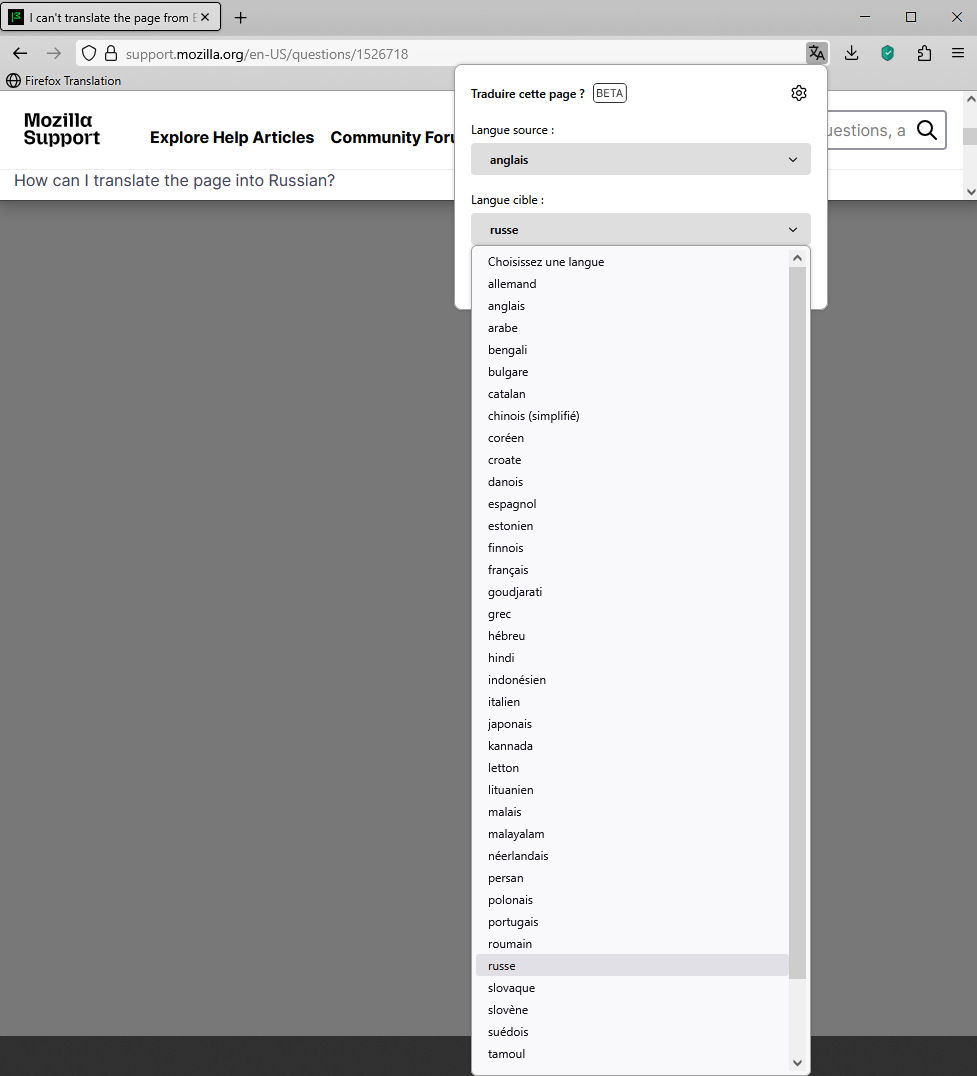
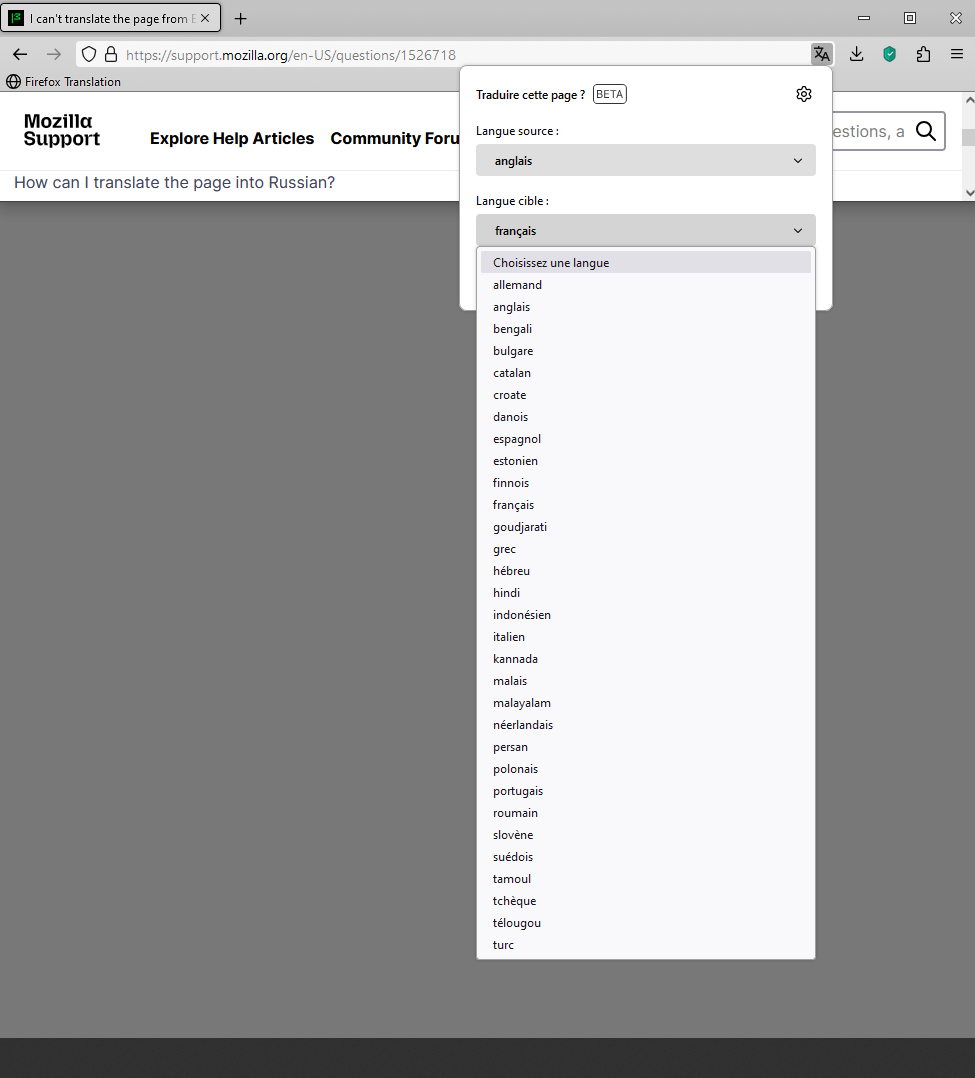
I just installed the browser and enabled Russian localization. Then I opened a page in English. A notification appeared with a suggestion to translate the page into another language. In the translator options, there is an option to select the language from which the translation will be made. There is Russian language there, but I chose English, it’s logical. And then comes the choice of the language into which the translation will be carried out, but there is no Russian language there. Why? How can I translate the page into Russian?
すべての返信 (3)
It's not ready yet. Perhaps after the war you've started.
TyDraniu said
It's not ready yet. Perhaps after the war you've started.
Personally, I started. Russophobe. Thanks for the answer
Hello
AboutАртём Репников said
How can I translate the page into Russian?
Apparently, available languages' models, that depends on the version Firefox To see it in operation, you can also type about:translations in the address bar For example, take a look at https://connect.mozilla.org/t5/ideas/include-arabic-translation/idc-p/100697/highlight/true#M53209
Below On the left Firefox 141 - Firefox 128 on the right