


Thunderbird Mobile Unified Inbox

How do I disable Unified Mailbox(es) in Thunderbird Mobile? I'd rather access each Email Account individually.
Thank you in advance.
すべての返信 (3)

The following steps might be helpful: "Settings" > "General settings" > "Display" > "Account list" section > untick "Show Unified Inbox" > close Thunderbird > open Thunderbird again.
Hi Yu5tiqX9og, tacehd.Thank you for that. Unfortunately, it isn't bringing up my Gmail Account Inbox/Other Folder/Options. Please see the image attached.
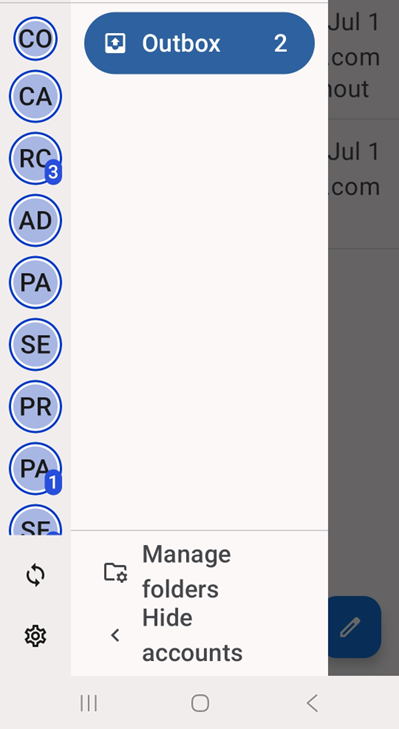
The following steps might be helpful: "Manage folders" (which appears in the image you uploaded) > Tap the folder you want to configure > Enable "Show folder" > If necessary, close Thunderbird for Android, and then open Thunderbird for Android again.
この投稿は Yu5tiqX9og により に変更されました