


right click menu broken

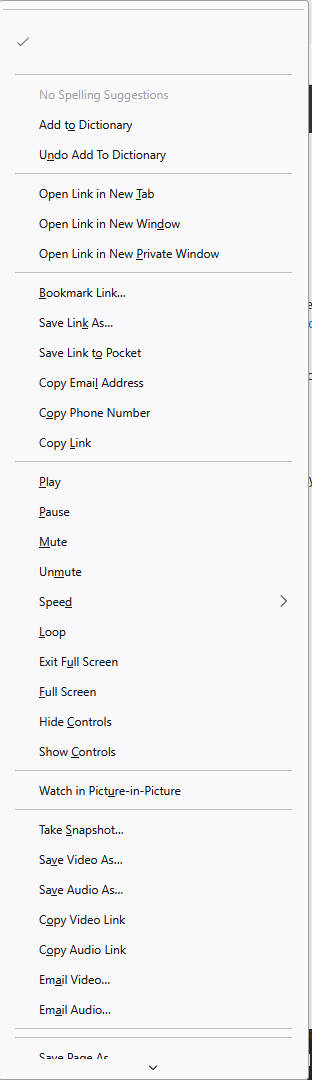
I have Firefox version 136.0.2. I think it was quite recently updated. The right click menu is broken. The choice list is much longer, and the choices "open link in new tab" and "copy link" (ones I tried) do not work. This only started happening this morning. Right click works fine in Chrome. Screenshot included.
すべての返信 (1)
Hi, this sometimes happens for unknown reasons. Here are two suggestions:
(1) Restart Firefox using the "Clear Startup Cache..." button
This button is in the upper right section of the Troubleshooting Information page. Either:
- menu button > Help > More Troubleshooting Information
- optional Menu Bar > Help (Alt+H) > More Troubleshooting Information
Ref. Use the Troubleshooting Information page to help fix Firefox issues
(2) If that doesn't work, do a regular exit of Firefox and restart of Windows
I haven't heard anyone report that the problem continued after that (but I definitely can't read everything).