


Seting up my Gmail in Thunderbird fails

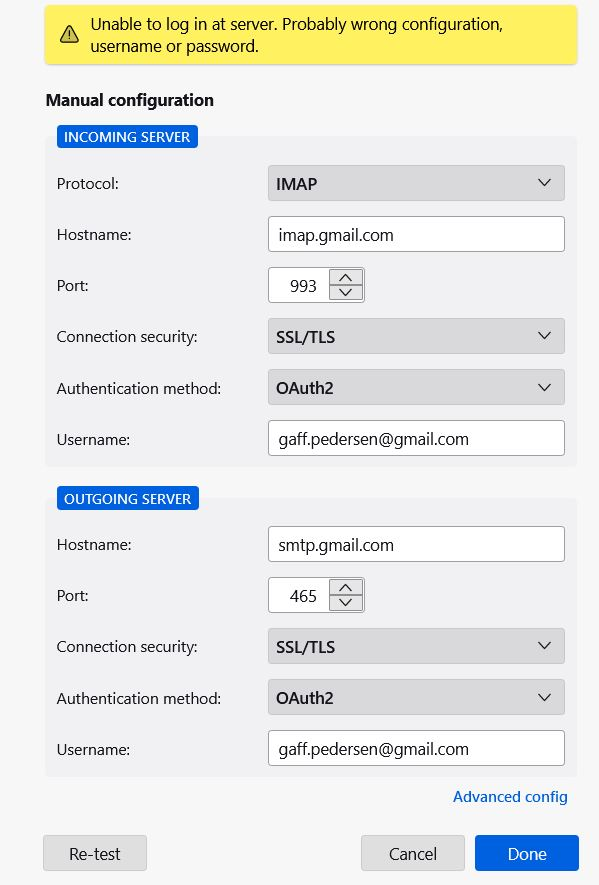
Using Thunderbird version 115.11.1 (32-bit), I cannot set up my Gmail account. I've tried all tips and suggestions: Accepted cookies, OAuth2 authentication in both IMAP and SMTP, removed saved password, but still got the message: "probably wrong configuration, username or password". At start, enter my name and Gmail address, leave the password blank and click "Done" I don't see any sign of "Sign in with your Google account" as I have read in several places. In my Google account I can't see any way to turn on or add any third-party apps. Can you pleas help? Sincerely, Geir (gaf.pedersen@gmail.com)
すべての返信 (2)
Probably your antivirus is making a mess of the new account wizard. The one from Norton has a particular penchant for doing so.
Does the setup Thunderbird work as expected with your OS started in safe mode with Networking. Instructions for each operating system: Windows 10/11, Windows 8, Windows 7, OSX
Geir, did you get it sorted out?