


I have changed my BT password and now can't send Thunderbird emails

I have changed my BT password and now can't send emails via Thunderbird. I can send them with BT though. This is the answer I get when I try to send an email -
''Sending of the message failed. Unable to authenticate to Outgoing server (SMTP) mail.btinternet.com. Please check the password and verify the 'Authentication method' in 'Account Settings | Outgoing server (SMTP)'.''
When I check my outgoing server settings I get this -
Description: BT Yahoo Server Name: mail.btinternet.com Port: 465 User Name: rvynerp@btinternet.com Authentication method: Normal password Connection Security: SSL/TLS
Can anyone help as I much prefer using Thunderbird for emails, over BT Richard P.
すべての返信 (7)
Hello there We have read the question We try go help
Your message states that your SMTP data has been properly entered. There are two options to pass on this Yahoo and Thunderbird or the use of your port numbers can be used for this 465 but also 587 is a good option and is the most popular of today For this network traffic.
And password to normal.
Greetings Firefox volunteer
この投稿は Googlethunderbird. により に変更されました
Hello there
Your settings should be restored to Thunderbird or updated via the normal method of requesting a new password. Okay, you did this? Is there a way to reverse this?
Most of this is that Thunderbird will work as it should again immediately when it is cleared from an incorrect input of passwords that had to be reset in the normal way.
Greetings Firefox volunteer
Hello there
This also applies to the use for your BT Mail.
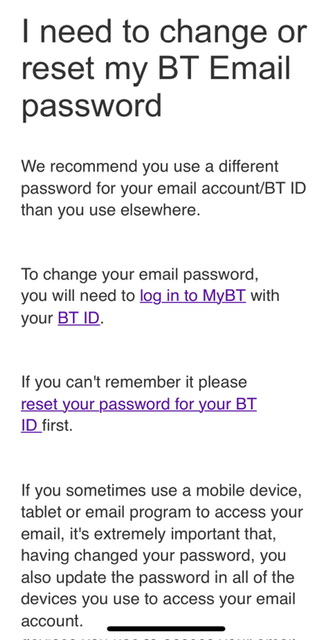
Your passwords can be reset on the supplied photo. Has this had any effect?
Greetings Firefox volunteer
この投稿は Googlethunderbird. により に変更されました
I tried uninstalling Thunderbird and re-installing it but still no good. I still receive the same message as before. Some problem with the outgoing server settings Richard
Sorry but I could not read your photo reply as the text was so small and when I magnified it, it became blurred and unreadable. Richard
Hello there
The situation is that you should change your password from BT so that your BT email program should do it together with the right settings you already had in Thunderbird when it worked.
Greetings Firefox volunteer
この投稿は Googlethunderbird. により に変更されました
Hello there
Greetings Firefox volunteer
この投稿は Googlethunderbird. により に変更されました