


add JPG, JPEG Content Type, Actions

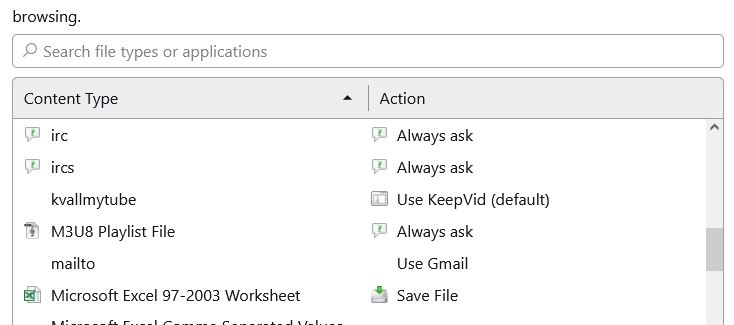
I am running Firefox ver 123.0.1 (64-bit) on Windows 10. Unsdersatand that there is built-in support for certain media like common images (JPG, JPEG, GIF, PNG). But I go to Menu Bar and select Tools > General > Applications > Content Type and I do not find a media type for JPG, JPEG. Is there a way to add JPG, JPEG Content Type? Actions?
I am running Firefox ver 123.0.1 (64-bit) on Windows 10. Unsdersatand that there is built-in support for certain media like common images (JPG, JPEG, GIF, PNG). But I go to Menu Bar and select Tools > General > Applications > Content Type and I do not find a media type for JPG, JPEG. Is there a way to add JPG, JPEG Content Type? Actions?
すべての返信 (1)
You can't add an action for file types that Firefox handles internally like JPG images and sends this image with a valid image MIME type. You need to use "Save Image As" or "Save Link As" in the right-click context menu. See also "Tools -> Page Info -> Media".