このスレッドはアーカイブに保管されました。
必要であれば新たに質問してください。

アーカイブに保管済み
Supernova / Website Email Link

When I'm on a website with an Email Link (Example: Support) and I click on the Email Link nothing is happening. Before the Supernova "upgrade" any Email Link would automatically open to my Thunderbird Email Account Email. Now, nothing.
I found a Mozilla Support Post for Windows 11: Apps>Default Apps>Thunderbird>MAILTO, but it is already set to Thunderbird.
Does anyone have a Fix?
Thank you in advance.
すべての返信 (1)
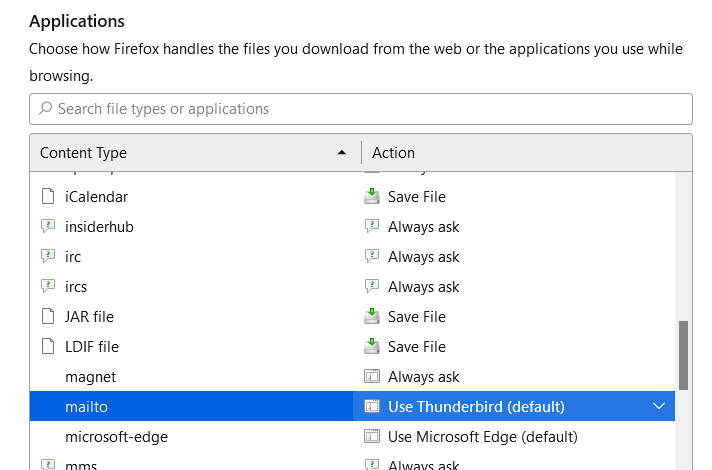
The setting has to made in your browser's settings. See the picture for the Firefox example.