


Windows 10 reached EOS (end of support) on October 14, 2025. If you are on Windows 10, see this article.

Mozilla サポートの検索

サポート詐欺に注意してください。 私たちはあなたに通話やショートメッセージの送信、個人情報の共有を求めることはありません。疑わしい行為を見つけたら「迷惑行為を報告」からご報告ください。

詳しく学ぶ
このスレッドはアーカイブに保管されました。 必要であれば新たに質問してください。
アーカイブに保管済み

Weird text in firefox fixes itself when firefox is turned off

Braden Bouwman

Firefox displays weird characters in text when some pages are loaded. This appears to happen with Helvetica font and maybe some others. The problem seems to go away when firefox is launched in safe mode, and does not occur in other browsers. After a little digging I found when I turn hardware acceleration off the problem seems to fix itself. I'd rather not operate firefox with this option off, and I have a relatively new mac so this shouldn't be an issue. Is there a better way to solve this problem? Attached are pictures of the issue when hardware acceleration is on. As you can see, there are weird characters that display on the right.
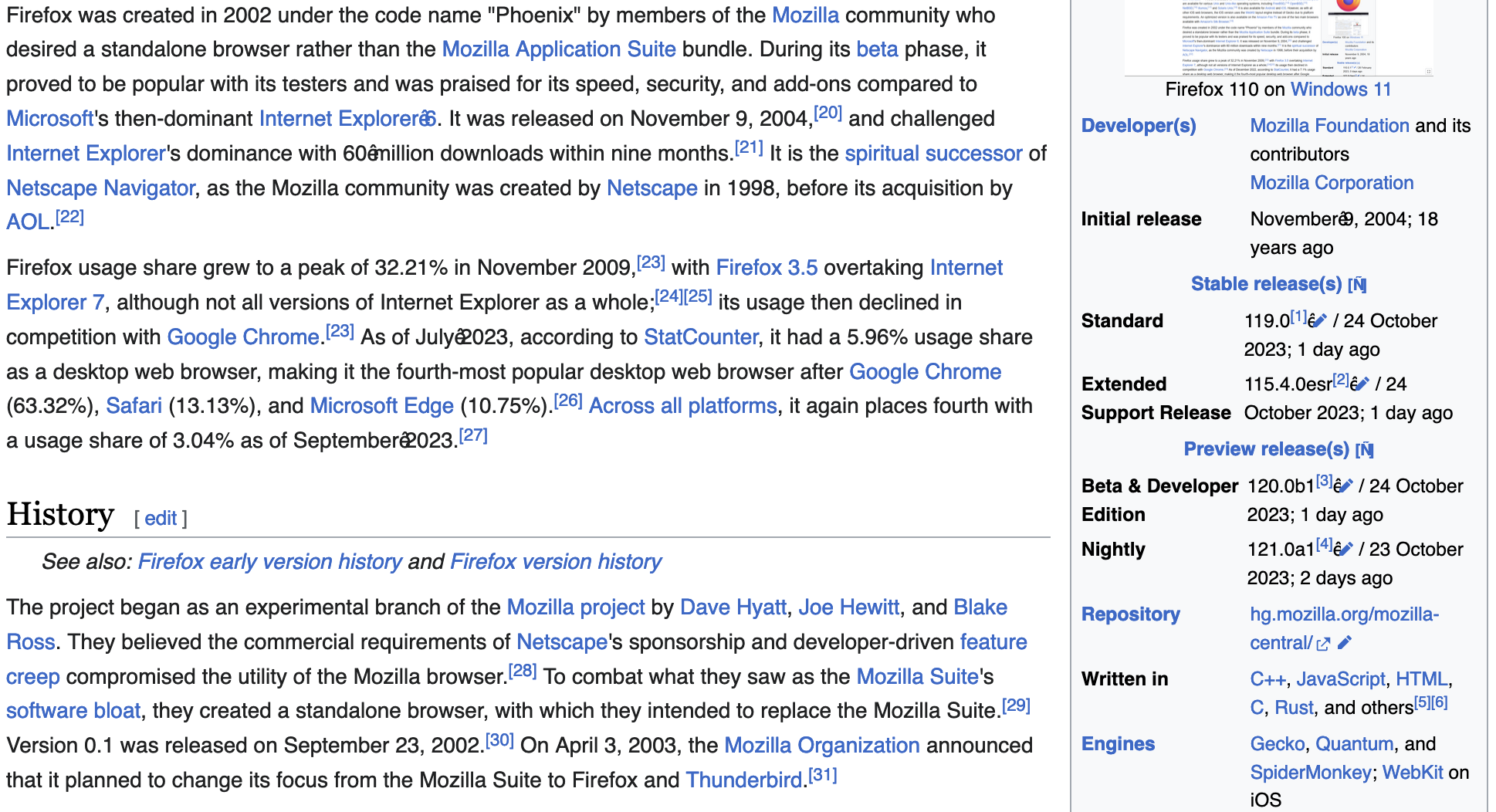
Firefox displays weird characters in text when some pages are loaded. This appears to happen with Helvetica font and maybe some others. The problem seems to go away when firefox is launched in safe mode, and does not occur in other browsers. After a little digging I found when I turn hardware acceleration off the problem seems to fix itself. I'd rather not operate firefox with this option off, and I have a relatively new mac so this shouldn't be an issue. Is there a better way to solve this problem? Attached are pictures of the issue when hardware acceleration is on. As you can see, there are weird characters that display on the right.
添付されたスクリーンショット

すべての返信 (2)

Go to about:config and try changing layout.css.font-visibility to 1 to limit fonts to a standard list.

Maybe clear the Font Cache on your Mac.