

このスレッドはアーカイブに保管されました。
必要であれば新たに質問してください。

アーカイブに保管済み
Bring back Classic Bing on Firefox

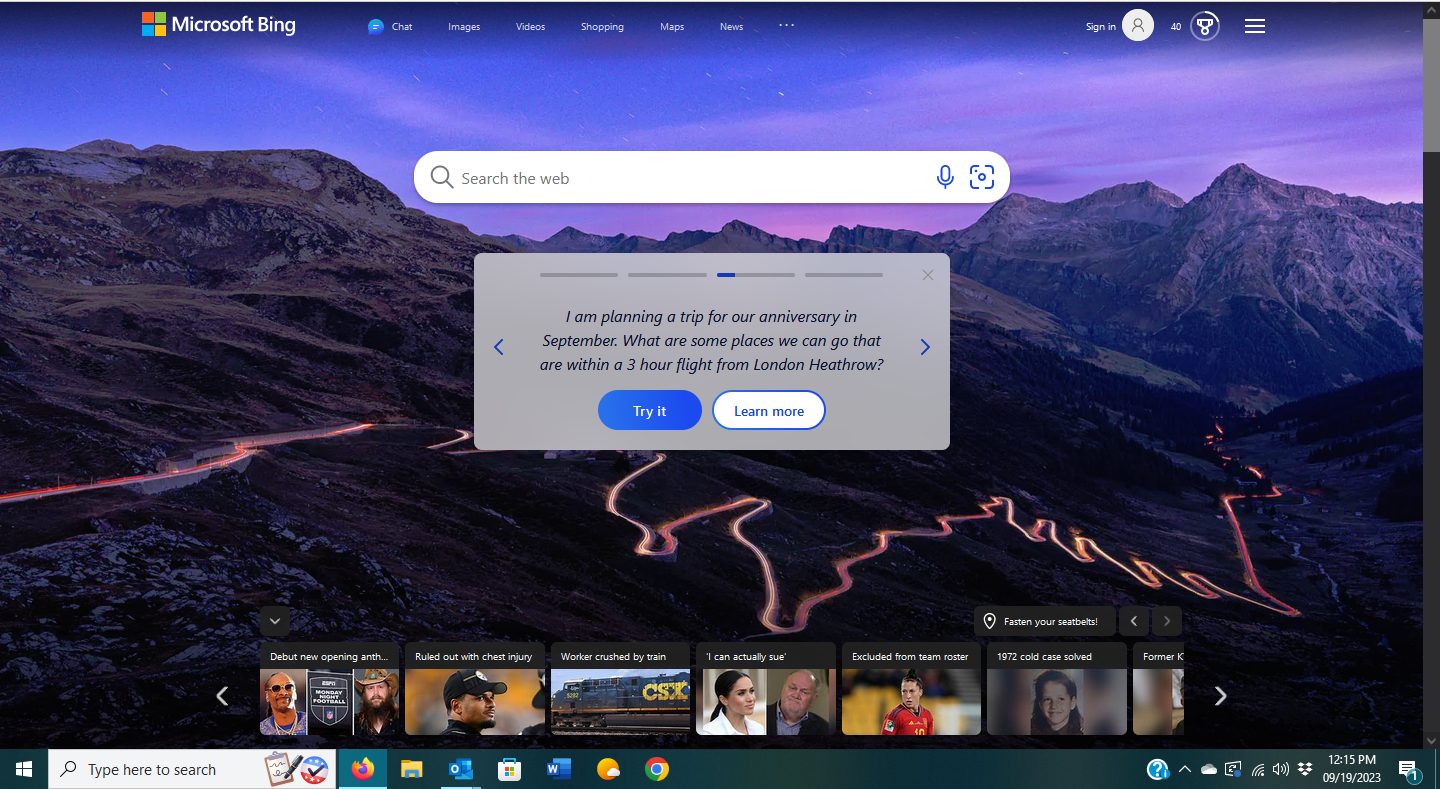
I want to use Classic Bing as my homepage on Firefox. But, Microsoft has shoved New Bing down our throats for most of the year. There's a large white search box AND an enormous gray box "Introducing the New Bing." Both of these boxes take up half of the homepage, and completely obscure the Bing daily image, the only reason I use Bing. How in the world can Firefox help me get rid of these New Bing annoyances and let me enjoy the Bing daily images?
I want to use Classic Bing as my homepage on Firefox. But, Microsoft has shoved New Bing down our throats for most of the year. There's a large white search box AND an enormous gray box "Introducing the New Bing." Both of these boxes take up half of the homepage, and completely obscure the Bing daily image, the only reason I use Bing. How in the world can Firefox help me get rid of these New Bing annoyances and let me enjoy the Bing daily images?
すべての返信 (1)
You can hide the middle box and the bottom news section by installing uBlock Origin and adding the following line to the "My filters" section:
bing.com##.below_sbox,.bottom_row:style(display: none !important;)