


Line Feeds in Google's Search Box

Using Google with Firefox I type search terms then press 'Return'. Instead of displaying search results Firefox starts a new line in the search terms box. This has only just started....
選ばれた解決策
@cor-el
Thanks for your advice.
Using the Refresh Firefox feature fixed the problem.
(It also removed all Firefox extensions.)
この回答をすべて読む 👍 0すべての返信 (3)
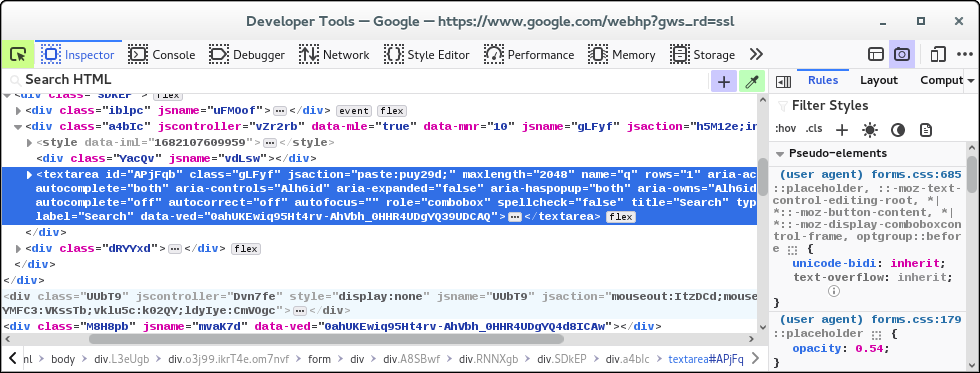
This looks like a change made by Google. If you right-click that input field and open the Inspector then you will notice that this is a textarea with one row (rows="1"). However, when I press the Enter key then I submit the form, Shift+Enter gives a linefeed. If that isn't working for you then you may be blocking JavaScript.
If you use extensions ("3-bar" menu button or Tools -> Add-ons -> Extensions) that can block content (Adblock Plus, NoScript, DuckDuckGo PE, Disconnect, Ghostery, Privacy Badger, uBlock Origin) always make sure such extensions do not block content.
- make sure your extensions and filters are updated to the latest version
- https://support.mozilla.org/en-US/kb/troubleshoot-extensions-themes-to-fix-problems
選ばれた解決策
@cor-el
Thanks for your advice.
Using the Refresh Firefox feature fixed the problem.
(It also removed all Firefox extensions.)
This question has been locked because the original author has deleted their account. While you can no longer post new replies, the existing content remains available for reference.