


Windows 10 reached EOS (end of support) on October 14, 2025. If you are on Windows 10, see this article.

Mozilla サポートの検索

サポート詐欺に注意してください。 私たちはあなたに通話やショートメッセージの送信、個人情報の共有を求めることはありません。疑わしい行為を見つけたら「迷惑行為を報告」からご報告ください。

詳しく学ぶ

このスレッドはアーカイブに保管されました。 必要であれば新たに質問してください。

Desktop mozilla screen flickering and causing blurry glitch

  • 1 件の返信
  • 0 人がこの問題に困っています
  • 153 回表示
  • 最後の返信者: TyDraniu

Occasionally, when I'm browsing or watching videos the screen will break into 3 or more pieces, to where you only see the top part of the website. If I scroll up or down, the image distorts further and if I scroll down enough, it will break out of the glitch but leave my screen very blurry. When I hover my mouse over any object on the screen, it distorts and makes it incredibly blurry. This problem persists even after closing Firefox, so I have to restart my PC every time this happens.

Please help, I want to switch from Chrome, but Chrome never had an issue like this. The first picture I uploaded is the screen breaking, the second is the blurriness it leaves afterwards.
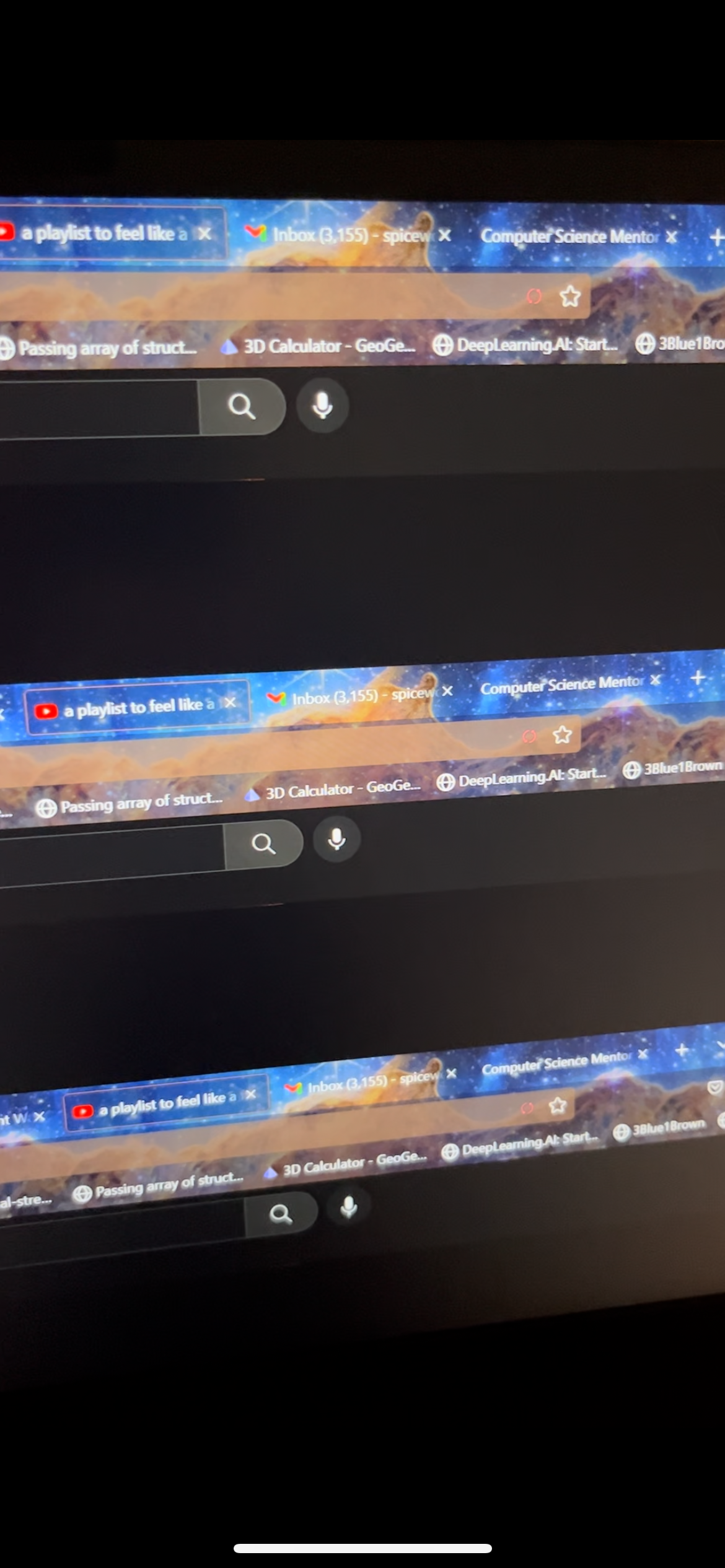

Occasionally, when I'm browsing or watching videos the screen will break into 3 or more pieces, to where you only see the top part of the website. If I scroll up or down, the image distorts further and if I scroll down enough, it will break out of the glitch but leave my screen very blurry. When I hover my mouse over any object on the screen, it distorts and makes it incredibly blurry. This problem persists even after closing Firefox, so I have to restart my PC every time this happens. Please help, I want to switch from Chrome, but Chrome never had an issue like this. The first picture I uploaded is the screen breaking, the second is the blurriness it leaves afterwards.
添付されたスクリーンショット

すべての返信 (1)

Try to set up Firefox to use your NVidia GPU (in NVidia Control Panel).