Remove bookmark editor dialog

Hello,
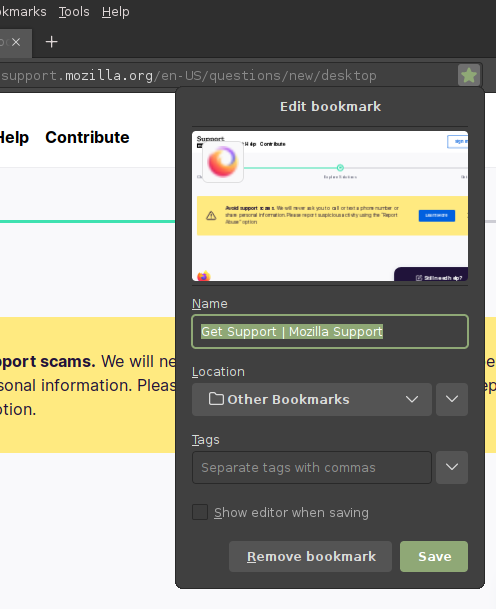
Is there a way to completely remove the bookmark editor? I have it configured to not show when adding a bookmark and would like to not see it when removing it. The button in the addres bar should toggle between add/remove with no ui.
Regards.
すべての返信 (3)
Forgot to say, if it can't be done that way, I would be happy making it the smallest possible.
Thanks.
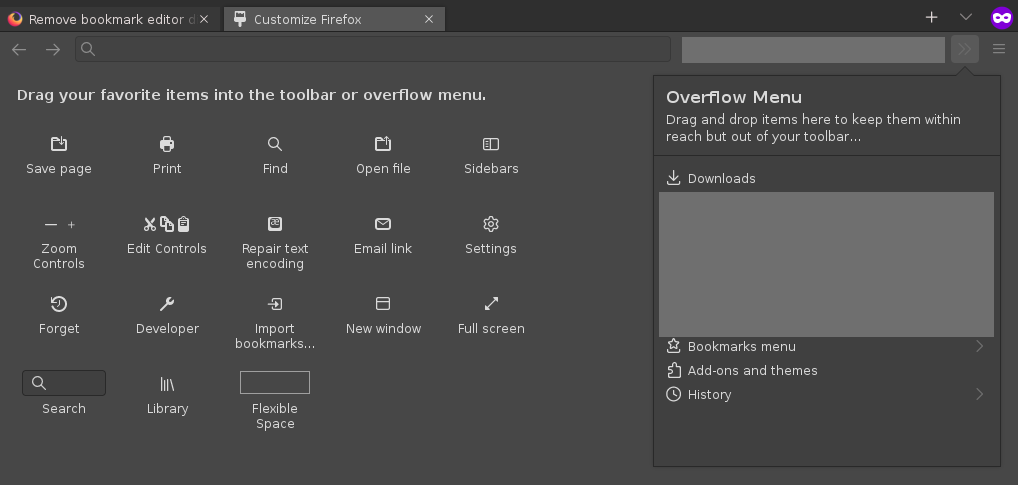
Open Firefox and click on the "Menu" button (three horizontal lines) in the upper-right corner of the browser window. Click on "Customize Toolbar". Drag the "Bookmark" button off the toolbar and onto the "Customize Toolbar" window. Close the "Customize Toolbar" window. This will remove the bookmark editor from Firefox without having to use custom CSS or the Style Editor.
Nope, already checked that way before posting. See attached image, there is no bookmark button to drag there.
Notice in my first post image the bookmark button inside the address bar.
Thanks.