


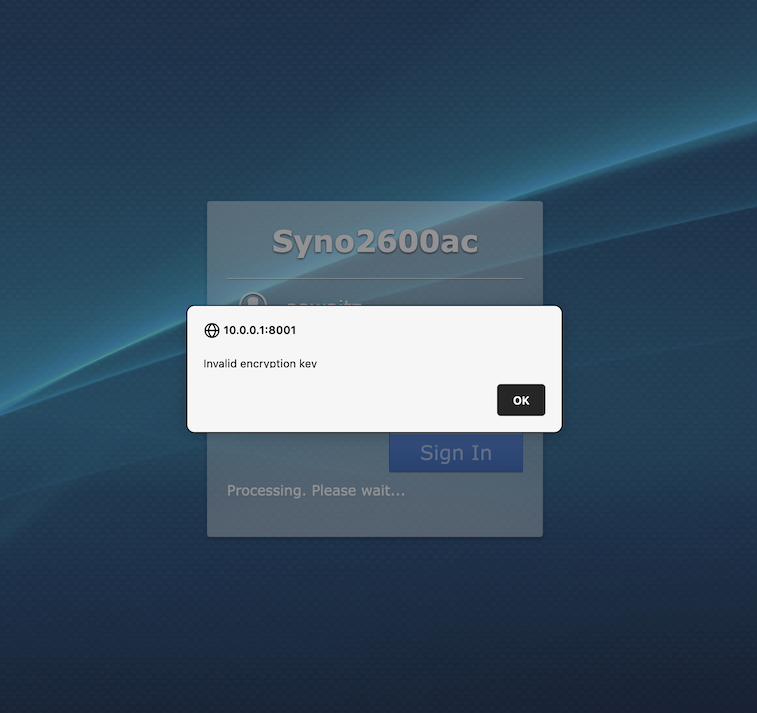
“Invalid Encryption Key” Popup When Connecting To My Router

When I connect to my home router via HTTPS I get a popup with the message “Invalid Encryption Key”. I tried using other installations of Firefox and I don't get this pop up. I then made a new Firefox profile on the same computer and did not get the popup. So it seemed like a Firefox "refresh" would be in order. But after the refresh the problem persists.
So how do I resolve this issue?
Firefox is the latest version running on a Mac.
選ばれた解決策
I found the issue that was causing this problem. It was caused by the LastPass extension. LastPass can have hidden field fill values. These have caused me other problems in the past. If you delete these hidden values (by clicking on the wrench icon from the "Edit passoword" window) then the issue goes away.
すべての返信 (4)
Dropa said
Did you contact the router support about the problem.
I did and they did not have any idea.
Given that the problem occurs with one instance of Firefox but not others makes it clear that the issue is with something in Firefox's profile.
Dropa said
Odd it's their encryption key why would it fail and they don't know this doesn't add up.
Why would an encryption key issue cause a problem in one browser but not in another browser?
選ばれた解決策
I found the issue that was causing this problem. It was caused by the LastPass extension. LastPass can have hidden field fill values. These have caused me other problems in the past. If you delete these hidden values (by clicking on the wrench icon from the "Edit passoword" window) then the issue goes away.