


How do I uncheck the box "Delete cookies and site data when Firefox is closed."?
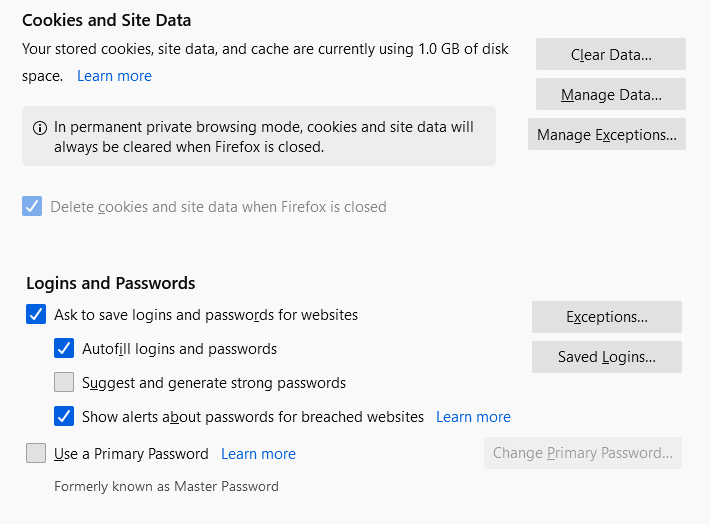
I clicked the box for "Delete cookies and site data when Firefox is closed." and now every time I want to access one of my regular websites I have to log in and enter my passwords again. I want to UNcheck the box for "Delete cookies and site data when Firefox is closed" but the option is faded out and it will not allow me to UNcheck the box. How do I UNcheck the box for "Delete cookies and site data when Firefox is closed."?
I am currently very frustrated with this, please give step by step instruction on how to resolve this issue. Thank you.
すべての返信 (2)

選ばれた解決策
You need to turn off Permanent private browsing mode to uncheck the box
Under Options > History > Use custom settings for history Uncheck Always use private browsing mode Restart your browser
Now you should be able to uncheck Delete cookies and site data when Firefox is closed
THANK YOU SO MUCH!!!
It was driving me absolutely crazy!
You gave clear concise instructions, exactly what I needed to know!
Thank you thank you thank you!