


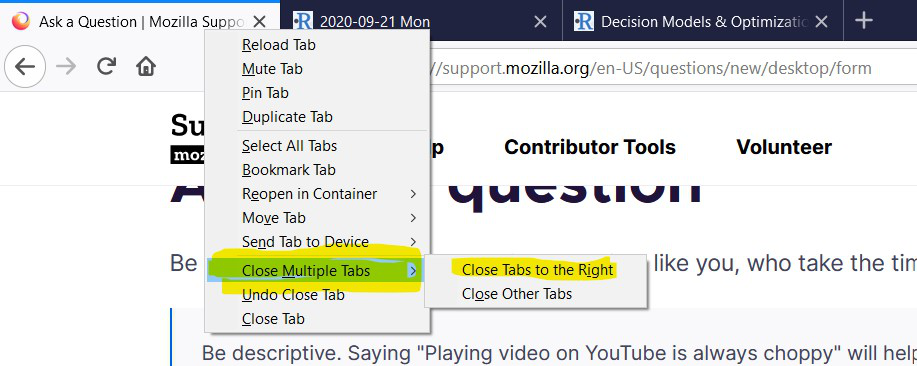
Why was 'Close tabs to the right' moved into a submenu?
Earlier, you could quickly close all tabs that I was done using by keyboard shortcuts 'Right Click' on Tab > 'i' > Enter This was a quick and very often used shortcut to close tabs to the right. Likewise for the 'Close other tabs' option.
But it's now moved inside a 'Close Multiple Tabs' menu. And this menu does not have a unique keyboard shortcut. It has M, which is also the shortcut for mute tab. So now when one needs to close tabs, it becomes 'Right Click' on Tab > 'm' > 'm' > Enter > Enter
Could this be changed so that either the keyboard shortcut for Close Multiple Tabs is not 'm', or that the close tabs options appear in the main menu on right click?
すべての返信 (1)
The main reason for moving the Close Tab items to a sub menu was because of reports that some users accidentally misclicked in the context menu which could lead to data loss.
You can look at these extensions.
- Close Tabs to the Right https://addons.mozilla.org/firefox/addon/close-tabs-right/
- Close Other Tabs https://addons.mozilla.org/firefox/addon/close-other-tabs-menu/