


Firefox is preventing Macbook to sleep
Since I upgraded my macbook to Catalina, I found that my macbook can longer automatically go to sleep when the lid is open. And the culprit seems to be the firefox browser, because in the activity monitor, it always shows that firefox is preventing the sleep.
Is there any reason that firefox is preventing my laptop to sleep? And how can I turn it off.
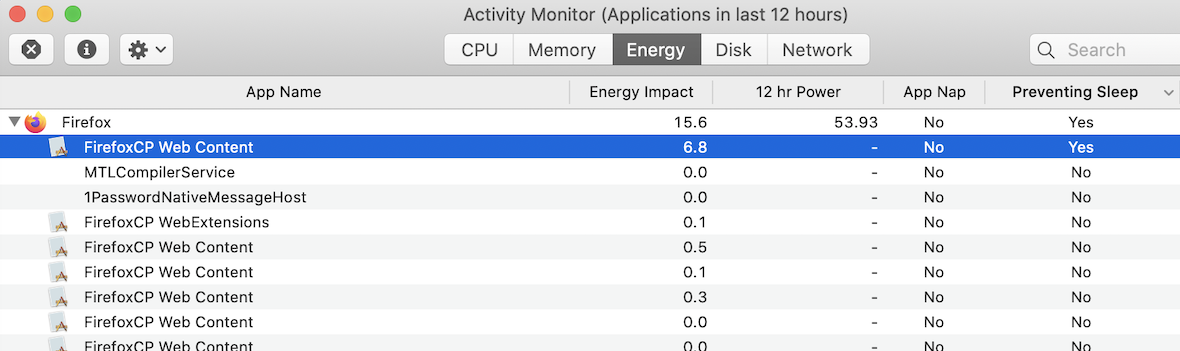
すべての返信 (3)
Do you have videos or other content that could keep Firefox open running in a Firefox tab ?
Does this also happen with no tabs at all loaded with an internet page ?
Start Firefox in Safe Mode to check if one of the extensions ("3-bar" menu button or Tools -> Add-ons -> Extensions) or if hardware acceleration is causing the problem.
- switch to the DEFAULT theme: "3-bar" menu button or Tools -> Add-ons -> Themes
- do NOT click the "Refresh Firefox" button on the Safe Mode start window
I have closed all the video and spotify tabs but it's still the same.
I also tried using safe mode. The problem persists.
I will try closing all tabs or switch theme when I finish my work.
So I have tried everything cor-el suggested. This problem persists in all cases except when no tabs are loaded.