


I can't login my paypal page with firefox 75.0 64 bit
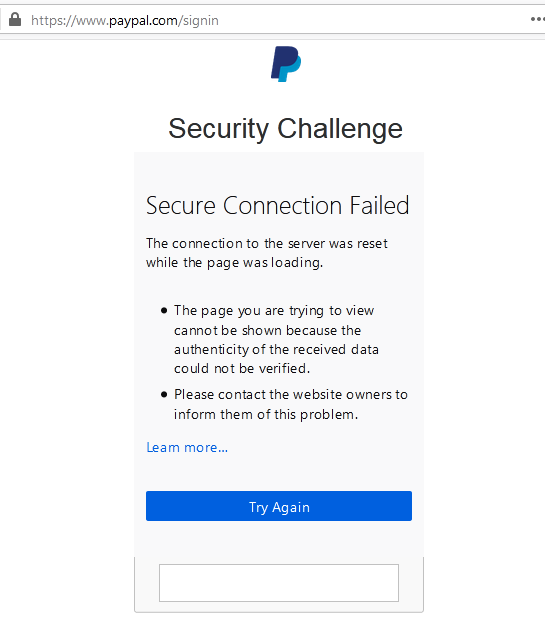
I can't login paypal page with firefox 75.0 64 bit, I've reinstalled the firefox. and clear cookies but nothing help. When l login paypal with my email then paypal popup the security challenge page I need entry the security code. but I can't get the code It always shows like the following. Secure Connection Failed
* The connection to the server was reset while the page was loading.
- The page you are trying to view cannot be shown because the authenticity of the received data could not be verified
すべての返信 (3)

There is security software like Avast, Kaspersky, BitDefender and ESET that intercept secure connection certificates and send their own.
https://support.mozilla.org/en-US/kb/firefox-cant-load-websites-other-browsers-can
https://support.mozilla.org/en-US/kb/firefox-and-other-browsers-cant-load-websites
https://support.mozilla.org/en-US/kb/secure-connection-failed-error-message
https://support.mozilla.org/en-US/kb/connection-untrusted-error-message
Websites don't load - troubleshoot and fix error messages

I am running with ubuntu 18.04.3 and firefox 76. I was trying to buy something on ebay. I could not login to paypal from firefox. I was, however, able to start a new tab and login to paypal directly. I have also told ebay about this and it seems they may have a problem. I was able to bring up google chrome and THEN pay for the item in question at paypal.
Is that part of the page loaded in a iframe ? You can check that via the right-click context menu in that area (This Frame -> View Frame Info).