


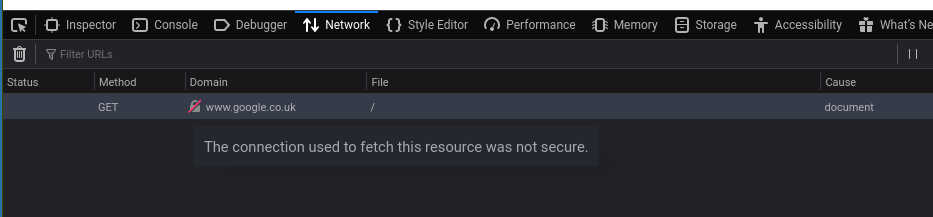
Web pages will not load - shows blank screen - Network Monitor says connection not secure
Firefox version: 72.0.1 (64-bit) for Manjaro Linux
I turned my laptop on, and paged would not load, so I updated Firefox, and it still would not work.
選ばれた解決策
After a few days of having this problem, Firefox suddenly dropped a notification "Firefox needs to restart to setup some things for you" and then it worked.
この回答をすべて読む 👍 0すべての返信 (4)

Clearing cookies & site is the first step when pages won't load: Clear cookies and site data in Firefox

Some problems occur when your Internet security program was set to trust the previous version of Firefox, but no longer recognizes your updated version as trusted. Now how to fix the problem: To allow Firefox to connect to the Internet again;
- Make sure your Internet security software is up-to-date (i.e. you are running the latest version).
- Remove Firefox from your program's list of trusted or recognized programs. For detailed instructions, see
Configure firewalls so that Firefox can access the Internet. {web link}
選ばれた解決策
After a few days of having this problem, Firefox suddenly dropped a notification "Firefox needs to restart to setup some things for you" and then it worked.
Good to hear. Well done.