


Firefox ignores my setting for NOT to check default browser.
Firefox is completely IGNORING my settings for NOT asking about default browser.
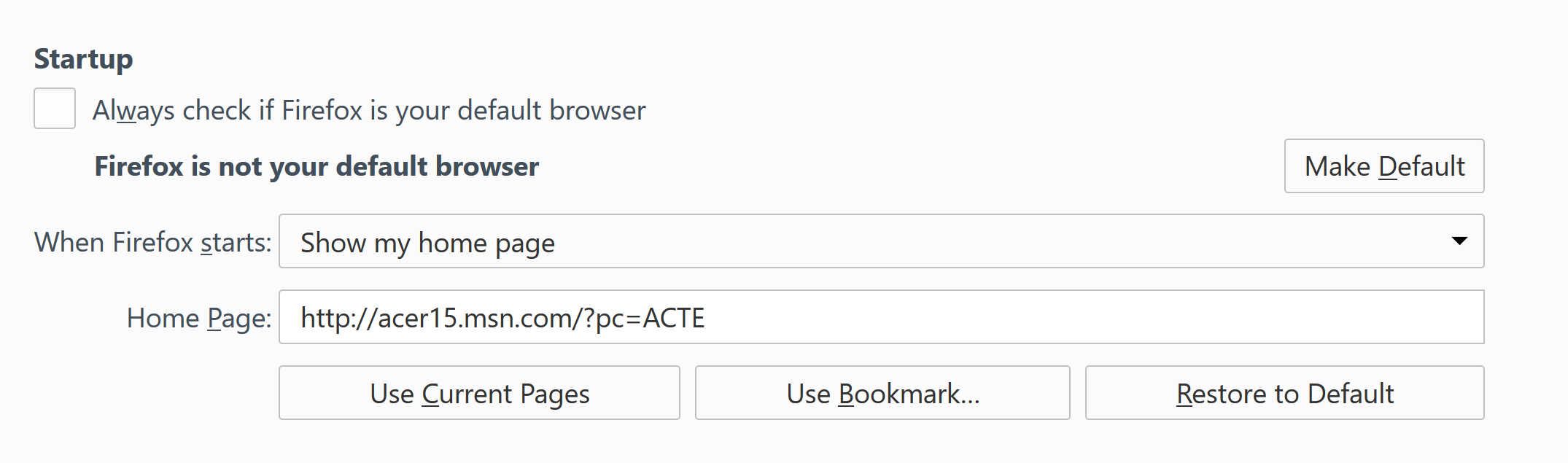
The box is UNCHECKED, and every time I open firefox, it asks if it should be made the default browser, ignoring my setting. See attached screenshot for proof of what my current options boxes look like in settings.
I have tried checking the box, closing firefox, reopening it, and unchecking the box. Firefox saves the condition of the option BUT always asks anyway every time a new window is open, regardless of the setting being on or off.
I need the default to be Chrome for work, but need to use firefox to check site compatibility. It is vital that Firefox does NOT set itself up as the default browser in my use case.
すべての返信 (2)
Uploading image properly this time, last time it didn't stick.

You are running a very, Very old version of Firefox. Is this what you want?
https://support.mozilla.org/en-US/kb/how-to-fix-preferences-wont-save
Note: Some software, like Advanced SystemCare with Surfing Protection, can protect files in the Firefox profile folder against changes. If you have such software then check the settings or uninstall this software.