


Reinstalled windows 7, after firefox installing can't syncing, it is workning but nothing tranferring, i lost everything passwords, bookmarks... i trusted frfox

Reinstalled windows 7, after firefox installing can't syncing, it is working but nothing transferring, i lost everything passwords, bookmarks... i trusted firefox, now need to change it
すべての返信 (5)

We need to look at the sync logs. Type about:sync-log<enter> in the address bar.
Open the last file created and Copy its contents Now Paste it into this forum.
If the file is too large;
Open a text / word program and load the file. Left-click once. Now
<Control> A to highlight everything, then <Control> C to copy it.
Next, have your web browser go to; https://pastebin.com/
Paste <Control> P the content of the file in the window. Note: On the bottom, fill out the boxes as best you can.
Now press Create A New Paste. The page will reload. Copy the new web address, and post it here.
Very good. I called for more help.

Can't open file, don't see AppData subfolder
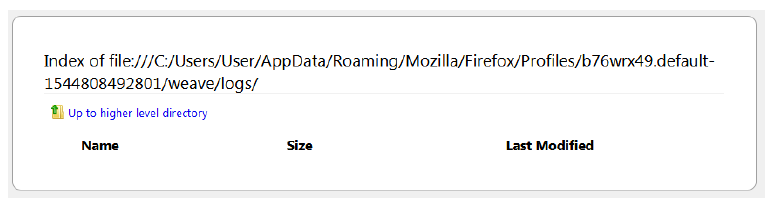
lstallard Please go to the top of any support.mozilla.org web page and use the Ask A Question link; https://support.mozilla.org/en-US/questions/new Select the product for what the problem is (Firefox or whatever).
Now select the category for the problem. At the bottom is Other.
Describe the problem in brief (one line). Then press <enter>. The website will display any prior posts that might help you. If nothing on the list can help, at the bottom press the button; None Of These Solve My Problem.
Now enter all the relative information on the problem. At the bottom of this, you can Add Images.
Under this is Troubleshooting Information. Please press the Share Data button. This will let us look at your system details. No Personal Information Is Collected.