


::before and ::after css rules not showing in css inspector in developer edition

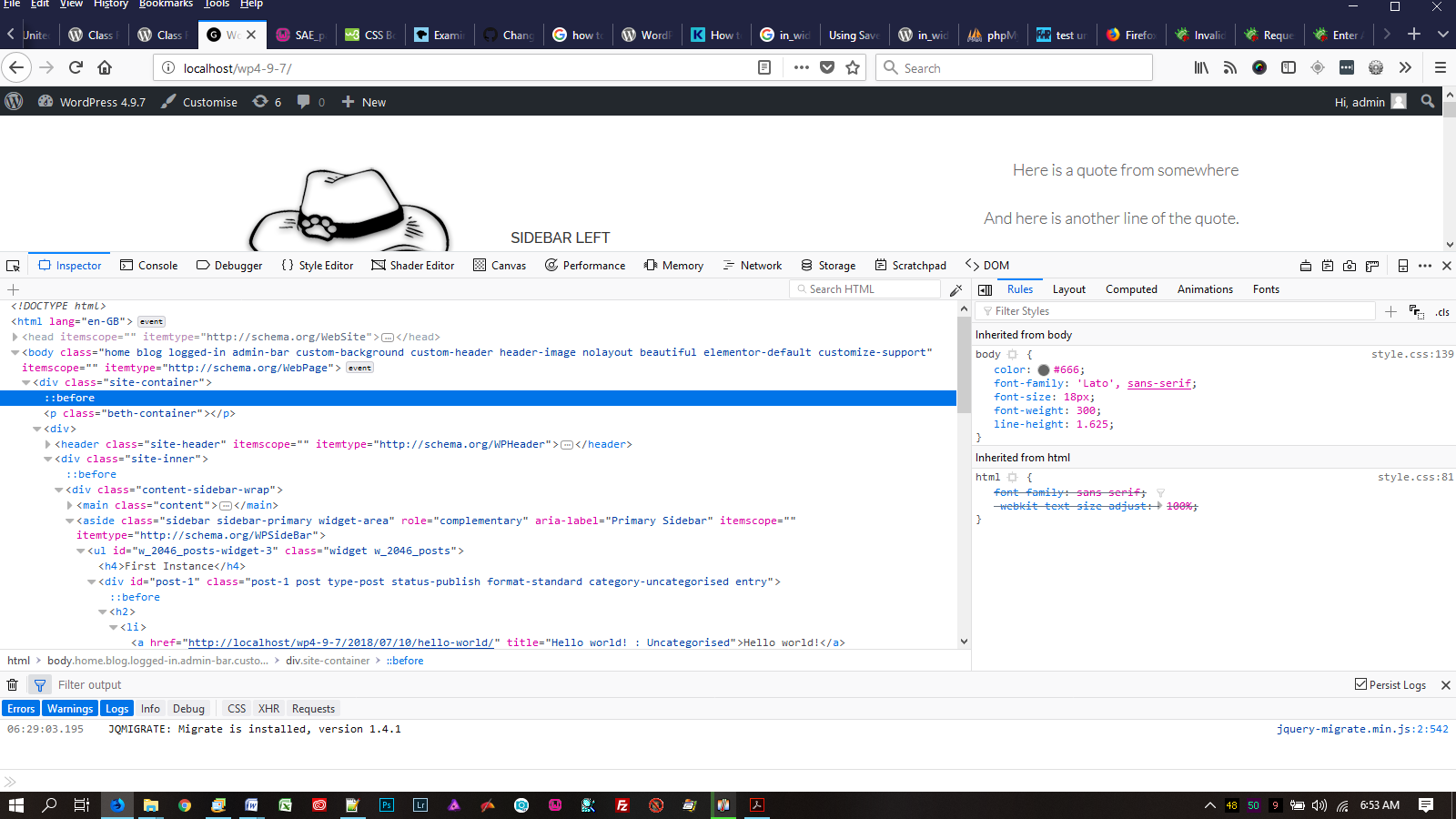
when inspecting a webpage with devtools in the developer edition of FIrefox, the pseudo elements ::before and ::after show up OK in the HTML inspector, but when selected in the HTML inspector, the CSS rules for the pseudo elements do now show up in the CSS styles inspector. See attached screen shot.
Pseudo elements display just fine in google developer tools during inspetion.
選ばれた解決策
Tuns out to be a bug when you have display:table in the ::before or ::after. See bug https://bugzilla.mozilla.org/show_bug.cgi?id=1481192
すべての返信 (3)
Nothing for you as running a Beta
- https://support.mozilla.org/en-US/kb/back-and-restore-information-firefox-profiles
- https://support.mozilla.org/en-US/kb/export-firefox-bookmarks-to-backup-or-transfer
Do a install over top.
If you have a bug, file a bug report. https://bugzilla.mozilla.org/ Bug Writing Guidelines : https://developer.mozilla.org/en-US/docs/Mozilla/QA/Bug_writing_guidelines
It still works in Firefox 61 (checking in this page, within #main-breadcrumbs), so perhaps it is regression in Developer Edition.
Could you try the DevTools forum to see whether this is a known issue?
選ばれた解決策
Tuns out to be a bug when you have display:table in the ::before or ::after. See bug https://bugzilla.mozilla.org/show_bug.cgi?id=1481192