


I cannot view embedded videos from Twitter
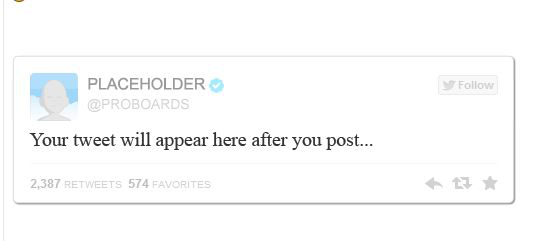
In Firefox on one of my forums I cannot view embedded videos from Twitter. All I see is a panel with "Twitter Placeholder". The problem does not exist on Chrome, Internet Explorer, or Microsoft Edge.
選ばれた解決策
AH! The Wonder of Windows! The problem has disappeared as mysteriously as it appeared!
この回答をすべて読む 👍 0すべての返信 (8)
Hi, I would suggest that Avast & Adblock are the issues if you still see the placeholder. Please try below : SAFE MODE
- https://support.mozilla.org/kb/Safe+Mode
- https://support.mozilla.org/kb/Troubleshooting+extensions+and+themes
In Firefox Safe mode these changes are effective:
- all extensions are disabled (about:addons)
- default theme is used (no persona)
- userChrome.css and userContent.css are ignored (chrome folder)
- default toolbar layout is used (file: localstore-safe.rdf)
- Javascript JIT compilers are disabled (prefs: javascript.options.*jit)
- hardware acceleration is disabled (Options > Advanced > General)
- plugins are not affected
- preferences are not affected
TEST''''is issue still there ?
Thank you. Removing the aVast add ons solved the problem.
However since I use the equivalent add-ons in the other browsers I would suggest that there is perhaps a deeper problem.
この投稿は Hairy Scot により に変更されました
However since I use the equivalent add-ons in the other browsers I would suggest that there is perhaps a deeper problem.
Pkshadow said
Hi, I would suggest that Avast & Adblock are the issues if you still see the placeholder. Please try below : SAFE MODEIn Firefox Safe mode these changes are effective:
- https://support.mozilla.org/kb/Safe+Mode
- https://support.mozilla.org/kb/Troubleshooting+extensions+and+themes
TEST''''is issue still there ?
- all extensions are disabled (about:addons)
- default theme is used (no persona)
- userChrome.css and userContent.css are ignored (chrome folder)
- default toolbar layout is used (file: localstore-safe.rdf)
- Javascript JIT compilers are disabled (prefs: javascript.options.*jit)
- hardware acceleration is disabled (Options > Advanced > General)
- plugins are not affected
- preferences are not affected
The problem has reappeared and now also occurs in Safe Mode.
この投稿は Hairy Scot により に変更されました
Firefox shows the shield icon at the left end of the location/address bar in case content is blocked by Tracking Protection.
- click the shield icon for more detail and possibly disable the protection
- check the Web Console for more detail about what content is blocked by Tracking Protection
- "3-bar" menu button or Tools -> Web Developer
You can try to enable third-party cookies temporarily to see if that works. If that is the case then you need to create a cookie "Allow" exception for specific third-party domains. You can check in the Storage Inspector for what domains third-party cookies are created when you visit the website.
cor-el said
Firefox shows the shield icon at the left end of the location/address bar in case content is blocked by Tracking Protection.
- click the shield icon for more detail and possibly disable the protection
- check the Web Console for more detail about what content is blocked by Tracking Protection
- "3-bar" menu button or Tools -> Web Developer
You can try to enable third-party cookies temporarily to see if that works. If that is the case then you need to create a cookie "Allow" exception for specific third-party domains. You can check in the Storage Inspector for what domains third-party cookies are created when you visit the website.
It is puzzling that this problem has resurfaced despite the fact that I have made no changes. Perhaps something has been changed in Firefox?
I have just reset Firefox and the problem persists.
What now?
この投稿は Hairy Scot により に変更されました
If you see the shield icon then this would indicate that this web page currently has content that is blocked by Tracking Protection.
Did you check the Web Console for more detail?
- "3-bar" menu button or Tools -> Web Developer
- https://developer.mozilla.org/en/Tools/Web_Console
選ばれた解決策
AH! The Wonder of Windows! The problem has disappeared as mysteriously as it appeared!