

このスレッドはアーカイブに保管されました。
必要であれば新たに質問してください。

Solved
アーカイブに保管済み
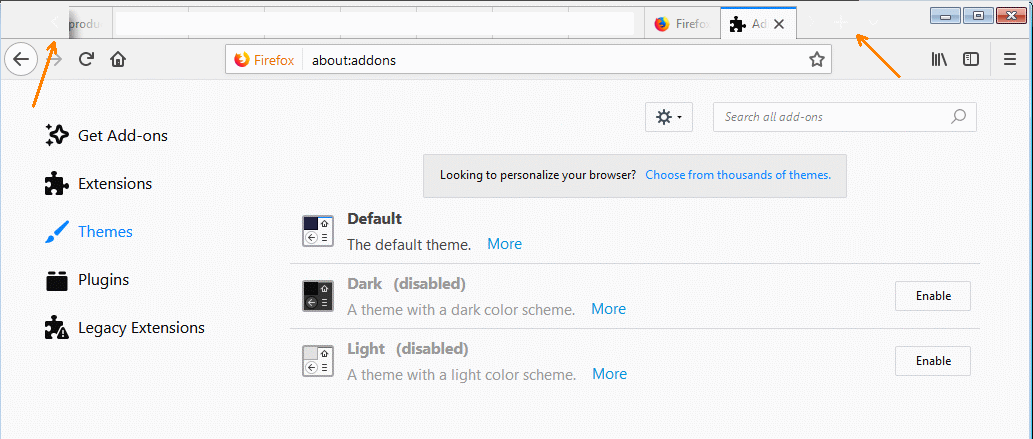
Tab buttons (prev, next, new) are nearly invisible

Since Quantum the "buttons" next to the tabs have become nearly invisible. I'm using the default theme (and no theme-related addons), but, even if I use other themes, those still don't change the color of either the background or foreground of the items I'm talking about.
Since Quantum the "buttons" next to the tabs have become nearly invisible.
I'm using the default theme (and no theme-related addons), but, even if I use other themes, those still don't change the color of either the background or foreground of the items I'm talking about.
すべての返信 (1)
選ばれた解決策
Nevermind... found the answer. There was an entry in my userChrome.css which defined (and overwrote) the background-color.
この投稿は Frescard により に変更されました