


Browsing history is saved during a private session

Whenever I browse in a private window, all browsing history is retained and displayed from the private session, as well as from non-private sessions. Please see attached. Well I couldn't upload a 334KB jpg file to this post. But while in a private window, all browsing history displays in the address bar as soon as I start typing an address.
すべての返信 (3)
Hi triplegee, that definitely shouldn't happen. Could you attach the image to a reply: https://support.mozilla.org/questions/1200146#question-reply
While you are in a private window, some "history" features like Undo Close Tab still work until the private window is closed, but these history visits should not be stored with the history that you can see in a regular window or in the Library window ("Show All History").
Thanks. Here's the image. I started typing "ma" and all that history came up. A couple of them are from a private browsing session and the rest are from normal browsing sessions. Thanks for your help.
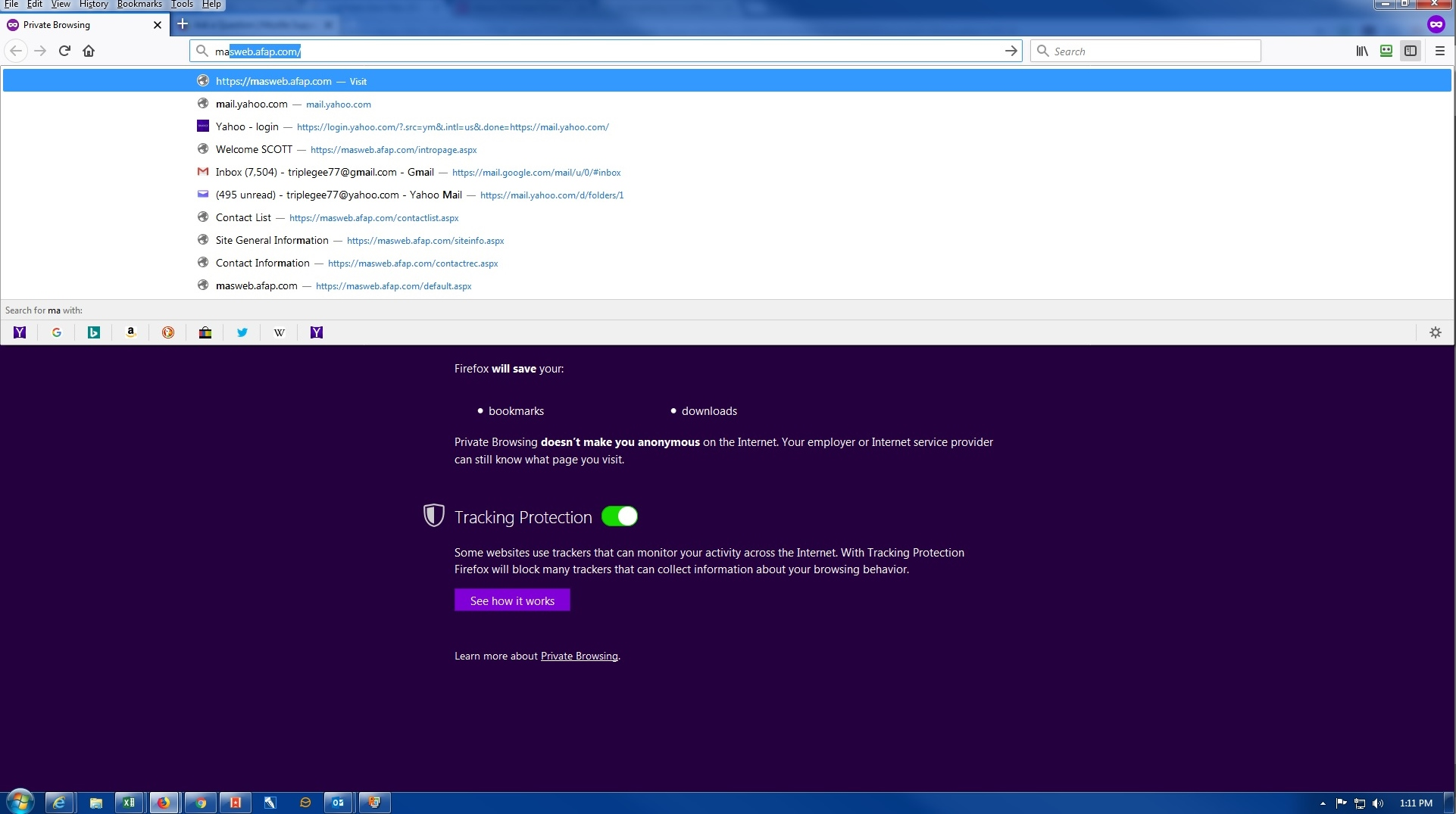
That's OK. History from normal sessions is avalable in the private session.