SEC_ERROR_CERT_SIGNATURE_ALGORITHM_DISABLED

I have imported our AD Enterprise Certificate into Firefox but it continues to give the error;
"Insecure connection: Invalid security certificate" to the web certificates we issue.
"The certificate is not trusted because it was signed using a signature algorithm that was disabled because that algorithm is not secure." "Error code: SEC_ERROR_CERT_SIGNATURE_ALGORITHM_DISABLED" IE and Chrome do not give any errors regarding these same certificates. How can I find out what "CERT_SIGNATURE_ALGORITHM" is causing the error?
すべての返信 (2)
What are the connection details in Google Chrome if you click the padlock in the location/address bar?
The Page Info window shows this for the Mozilla Support website.
- Connection Encrypted (TLS_ECDHE_RSA_WITH_AES_128_CBC_SHA, 128 bit keys, TLS 1.2)
Google displays the Secure Lock.
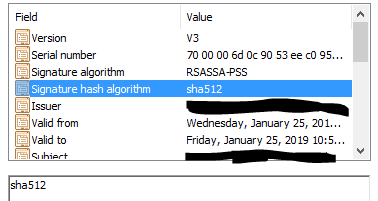
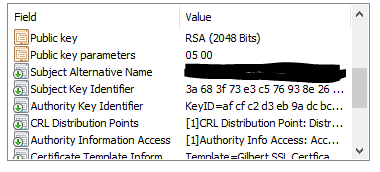
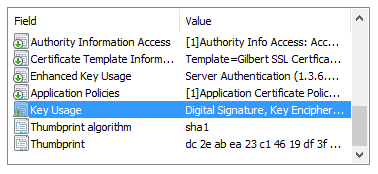
I have uploaded images of the Certificate details from IE.
I think it may be the that the “Thumbprint Algorithm” is sha1?