

このスレッドはアーカイブに保管されました。
必要であれば新たに質問してください。

Solved
アーカイブに保管済み
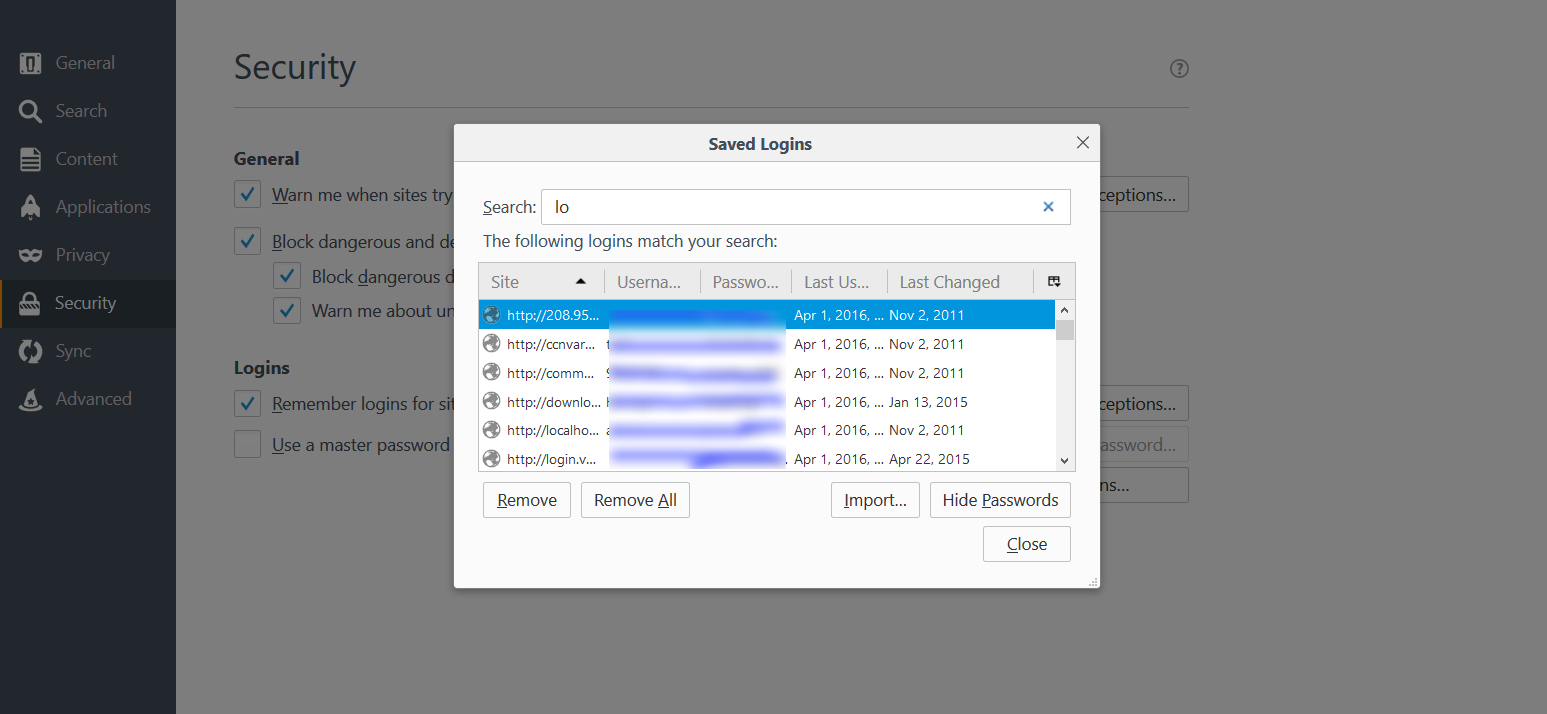
Why is the "Saved Logins" dialog so small? It's (nearly) unusable.
Self-explanatory. The saved login table is 5 or 6 columns wide, yet shrunk to 30% (?) of the visible screen width, and not expandable. One must resize columns multiple times to read the table data that contains a full html link, 2 expanded date fields, username and password (if opened). Window sizing for tables should either be dynamic, wide % static, or resizable. Unfortunately, under-sizing dialog windows is an all too common development practice in the Windows software arena. Surely this can be improved without too much trouble.
Self-explanatory. The saved login table is 5 or 6 columns wide, yet shrunk to 30% (?) of the visible screen width, and not expandable. One must resize columns multiple times to read the table data that contains a full html link, 2 expanded date fields, username and password (if opened). Window sizing for tables should either be dynamic, wide % static, or resizable. Unfortunately, under-sizing dialog windows is an all too common development practice in the Windows software arena. Surely this can be improved without too much trouble.
すべての返信 (1)
選ばれた解決策
hi jbgreen, the dialog is expandable if you drag it on the bottom-right corner.