


How to "save image as" without dialog popping up?

I save a lot of images in FF and usually always to the same folder (~/Downloads). I'd like to save some time/mouse clicks: when I right click -> 'save image as' Is there a way to having it just download automatically rather than giving me the popup dialog?
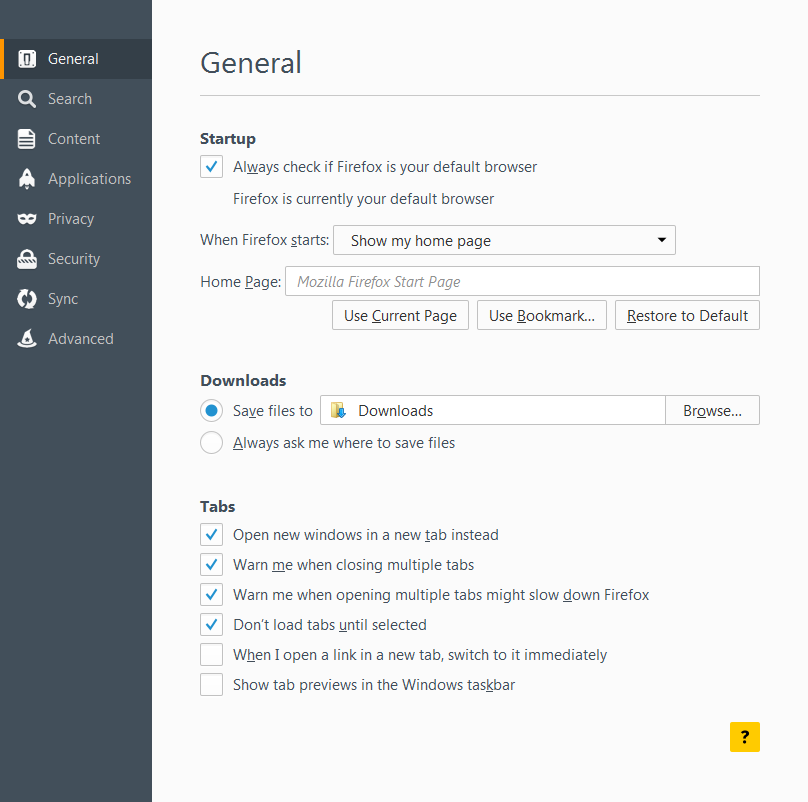
I already tried going to Preferences -> General and clicking the radio button "Save files to" and entering a path.
I even tried setting about:config, browser.helperApps.neverAsk.saveToDisk to "image/gif, image/jpeg, image/png"
この投稿は paulnelson により に変更されました
すべての返信 (3)

- Click the menu button
 and choose Options.
- On General tab, you can change your default location path and set it to Downloads folder
See also: Startup, home page, tabs, and download settings Manage file types and download actions in Firefox
You can also check the Add-ons website to see if you can find an extension that has this feature.
- Save Image in Folder: https://addons.mozilla.org/firefox/addon/save-image-in-folder/
- Save Images: https://addons.mozilla.org/firefox/addon/save-images/
The 'Save as' command always asks you where to save. It is different from the 'Save' command (which doesn't appear in dialog menus).
An add-on that adds a "Save image" command (without "as") would be your best bet.