Hide file extentions from Save command box

Hi, I was wondering if there is a way to hide file extensions on the Save Image dialog box on OSX 10.9.4 with Firefox 31.
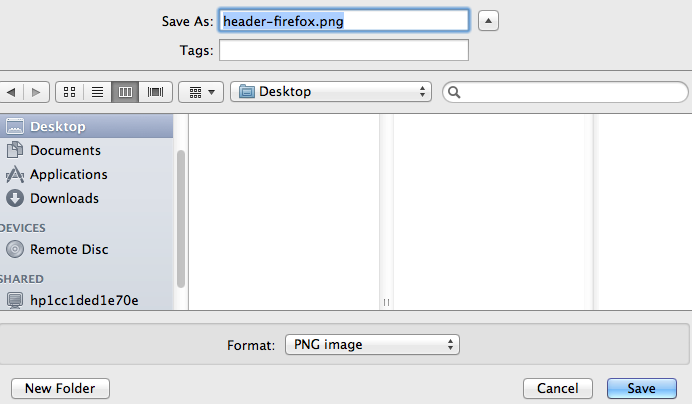
Currently when I save an image the dialog box opens with both the name and the file extension (eg abc.jpg) highlighted. If I start typing a new file name the file extension is deleted. If I want it to save correctly I need to select only the file name, change it, then click save. This gets annoying if I am saving a few files.
Is there a way to hide the file extension. I've tested both Chrome and Safari and they both have an option on the dialog box to do this so I'm sure I'm just missing something.
すべての返信 (1)
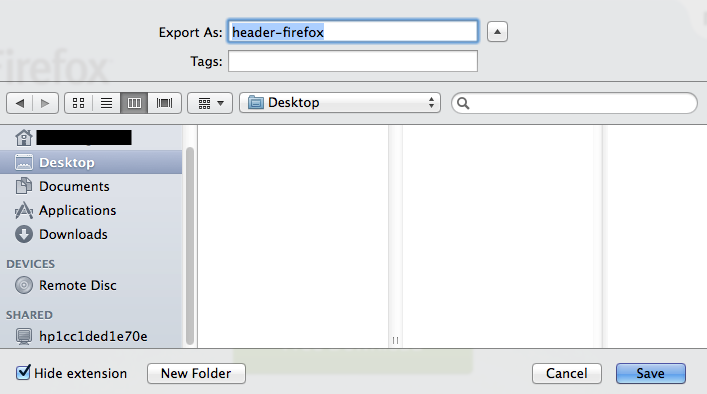
Some screenshots for clarification
Firefox https://support.cdn.mozilla.net/media/uploads/images/2014-09-02-03-35-32-763f7f.png

Safari (checkbox in bottom left corner) https://support.cdn.mozilla.net/media/uploads/images/2014-09-02-03-26-12-50de9b.png

Ironically I just noticed the hide extension box is in Firefox on the add image command on this forum