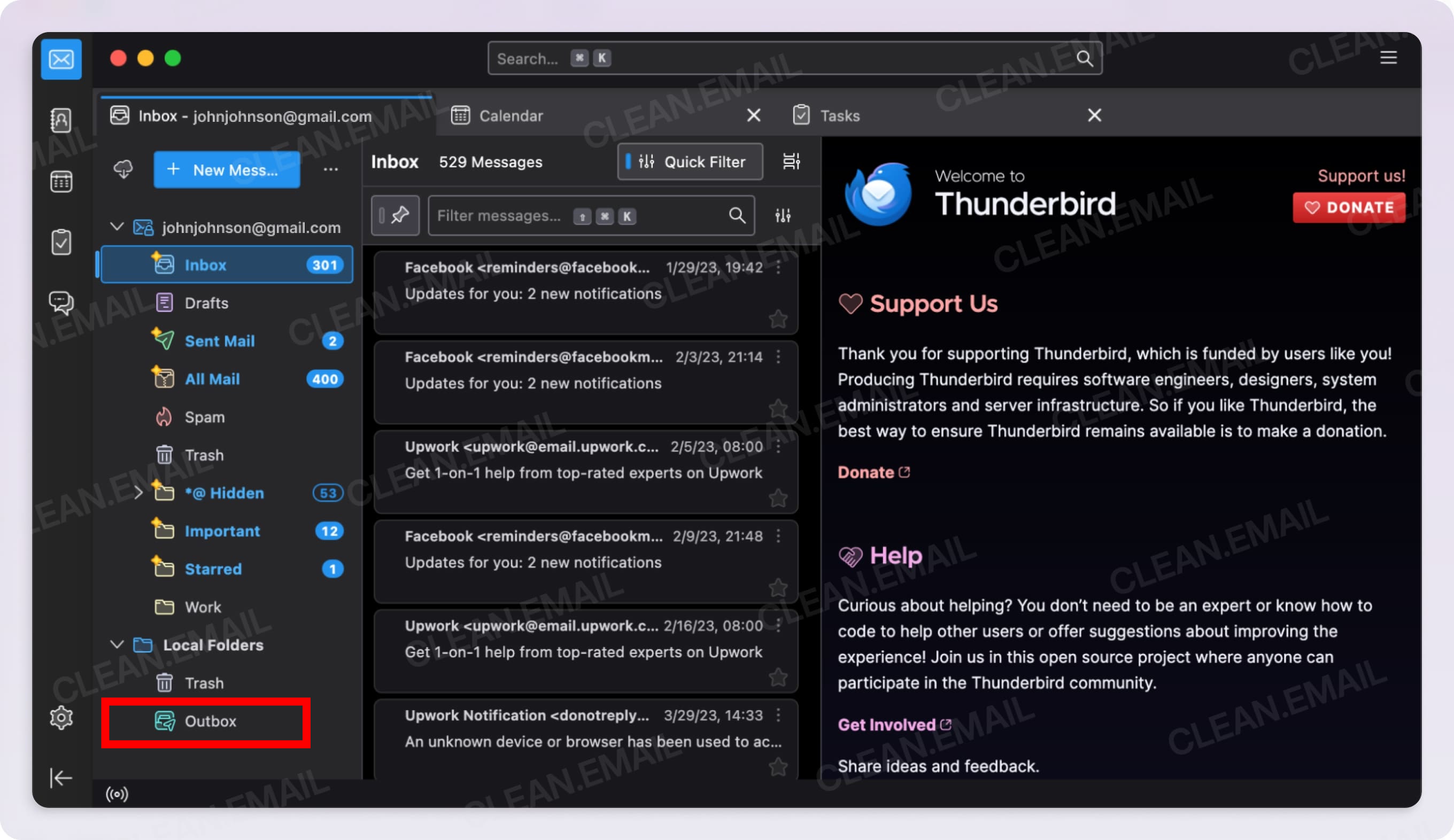
Emails always stuck in Outbox Thunderbird Android

I am using a Samsung S22 android and Thunderbird 20.1. My email server is Xfinity (comcast.net) and set on imap: smtp.comcast.net; SSL/TLS; port 465; auth: normal password
When outgoing emails are somewhat large, or sometimes for no reason at all, the outgoing emails get stuck in the OUTBOX. No amount of clicking on "Send messages" works, nor does sending them to DRAFTS and re-sending them. They again get stuck in the outbox. I have changed the port #s to no avail. My desktop Thunderbird HAS NO OUTBOX !! Why is that? Consequently, no emails get stuck, no matter how large or small. I've tried everything and searched everywhere.... no help.
All Replies (3)

Hi RE777
You don't meantion what size your failed emails were. The below indicates Xfinity have a maximum email size of 25Mb with recommendation that attachments not exceed 20Mb.
https://www.xfinity.com/support/articles/attach-files-xfinity-connect
When sending an email, the SMTP server tells the app the maximum email size the server will allow. Before sending, the app checks if attachments are present. If so, it calculates the size.
If the email is greater than the max size the server will allow, it marks the email with a permanent send failure. These receive NO SEND RETRIES unlike temporary failures such as network outages.
The app can't do anything with the email so it remains in the outbox until the user takes action such as moving it to drafts. Automatically deleting the message would be the wrong action.
For temporary failures, the app will try to resent the email a max of 5 times, after which the email is marked as a permanent send failure.
Emails are marked as permanent send failures within the apps database. Restarting the app will not trigger retry attemps for these emails;
The app shows the user a notification of the permanent failure in androids notification shade, under the miscellaneous notification channel. It's configurated as silent so shows in the shade but doesn't vibrate or play a sound.
You can change this to vibrate and play a sound, either
- via android notification settings.
- by navigating to settings > account name > notifications >miscellaneous.
Untick "set as silent" and set tone/vibration as desired.
Thunderbird Desktop
I can't speak to the issue of having no Outbox on Thunderbird Desktop. I don't have experience with it. The team in the desktop forum will be able to answer that.
https://support.mozilla.org/en-US/questions/thunderbird
The TB mobile app builds upon the code base of K9-Mail and doesn't share any code from Thunderbird desktop.
I'm made a few edits of this response. Apologies if it's spamming your mailbox.
Edeziri site na Platform34
So if the server (Xfinity) doesn't like the size of my email, with or without attachments, why can I send similar emails many times larger to the same server (Xfinity) from my desktop Thunderbird with no issues? And why does the desktop Thunderbird have no outbox in the sidebar for emails to get stuck in whereas the android thunderbird does?
I am familiar with getting failed email notices from my server when there is a glitch in the other person's email or email server---I get an email notice saying "permanent failure". However , with emails stuck in my android Thunderbird OUYBOX , I get no "permanent failure notices", nada, zip. This annoying issue with Thunderbird, android is about to cause me to change to a different Email app..
1. Thunderbird desktop does have an Outbox under local folders based on screen shots I've seen online. Attached as example.
2. In your original post, you provided the clues on when the emails get stuck
- When outgoing emails are somewhat large
- or sometimes for no reason at all
You know the size of the emails that got stuck and can confirm or rule out size as a factor. I've outlined why emails larger than Xfinity's advertised max size will remain in outbox.
You can also enable debug logging and attempt to recreate a stuck email. The debug log may reveal the reason why the email(s) are getting stuck. Navigate to settings > general settings > debug logging and toggle the setting on.
3. Sometimes for no reason at all
There is a known issue where sometimes sync may fail to recover from a no network state. The developers plan to refactor the code to address this. See the below milestone. https://github.com/thunderbird/thunderbird-android/issues/8834
4. Notifications Regarding your point about the apps notices and communication when permanant send failures occur, developers have provided comment on the open github ticket below.
https://github.com/thunderbird/thunderbird-android/issues/4602#issuecomment-3113458891 https://github.com/thunderbird/thunderbird-android/issues/4602