the firefox not open

when i press on icon not open and show this massage Firefox is already running, but is not responding. To open a new window, you First to close the existing Firefox process, or restart your system
when i press on icon
not open and show this massage
''Firefox is already running, but is not responding. To open a new window, you
First to close the existing Firefox process, or restart your system''
Semua Balasan (1)
Firefox may not have closed properly (or Windows might still think it's running when it's actually not).
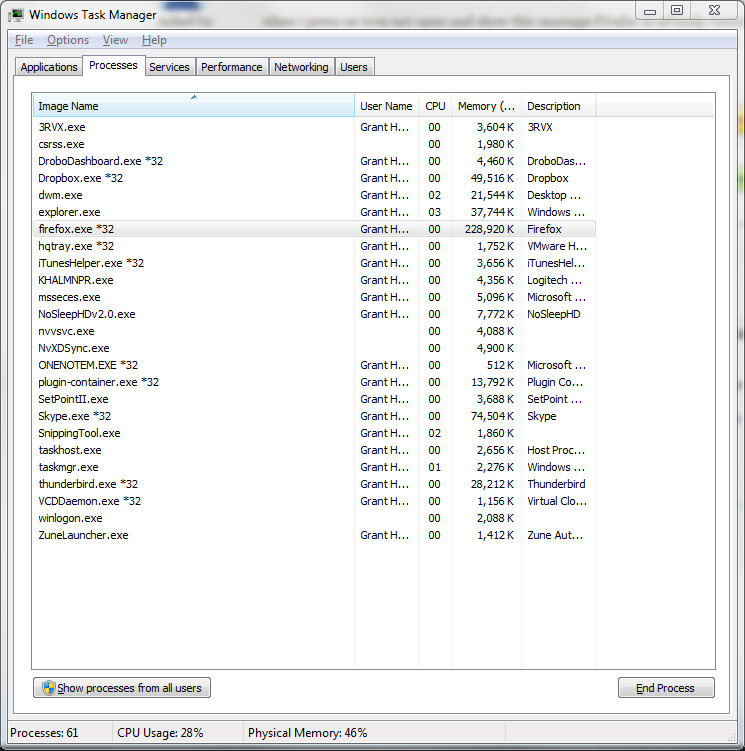
To close it manually, press Ctrl-Shift-Esc to open the task manager, go to the processes tab, sort by "Image Name", then select any processes called "firefox.exe" (see the attached screenshot) and press the "End Process" button at the bottom, or right click them and select "End Process".
If that doesn't work, try restarting Windows.