Solved
Looking for the GENERAL panel and the PERFORMANCE section

I would like to disable the graphics hardware acceleration so I can access a video link and I'm told to go to the Settings page of the Firefox browser. When I look for the general panel on the left of the page, I can't find it, so I cannot scroll down to the performance section. I suspect that the new update of the Firefox settings have changed somewhat. Can someone tell me where to find these features? Thank you.
I would like to disable the graphics hardware acceleration so I can access a video link and I'm told to go to the Settings page of the Firefox browser. When I look for the general panel on the left of the page, I can't find it, so I cannot scroll down to the performance section.
I suspect that the new update of the Firefox settings have changed somewhat.
Can someone tell me where to find these features? Thank you.
Semua Balasan (1)
Solusi Terpilih
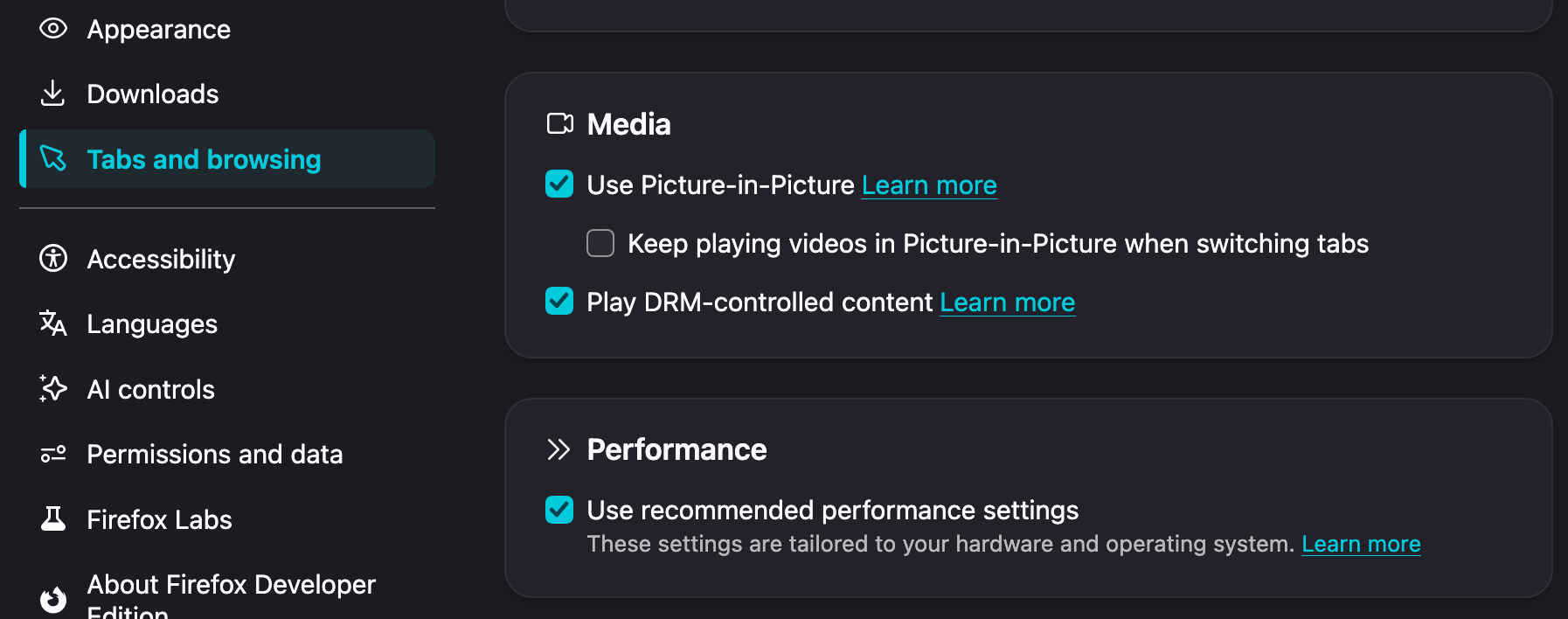
Since 152.0 it's in "Tabs & browsing" at the bottom: