


I can't add a shortcut site to my FF home screen

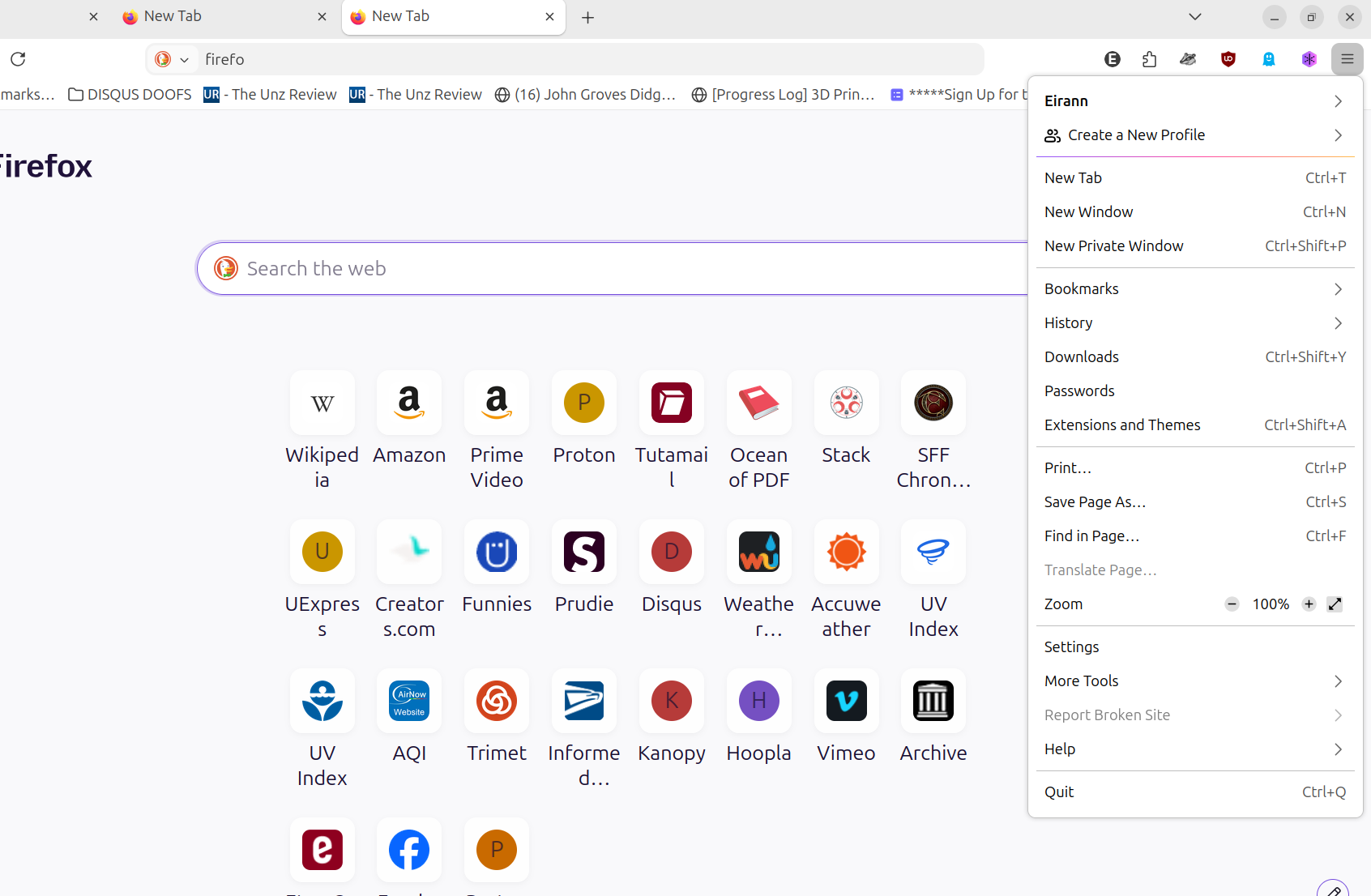
Where is a link, icon, or ANY WAY to add a shortcut site to my Ubuntu FF **DESKTOP** homescreen?
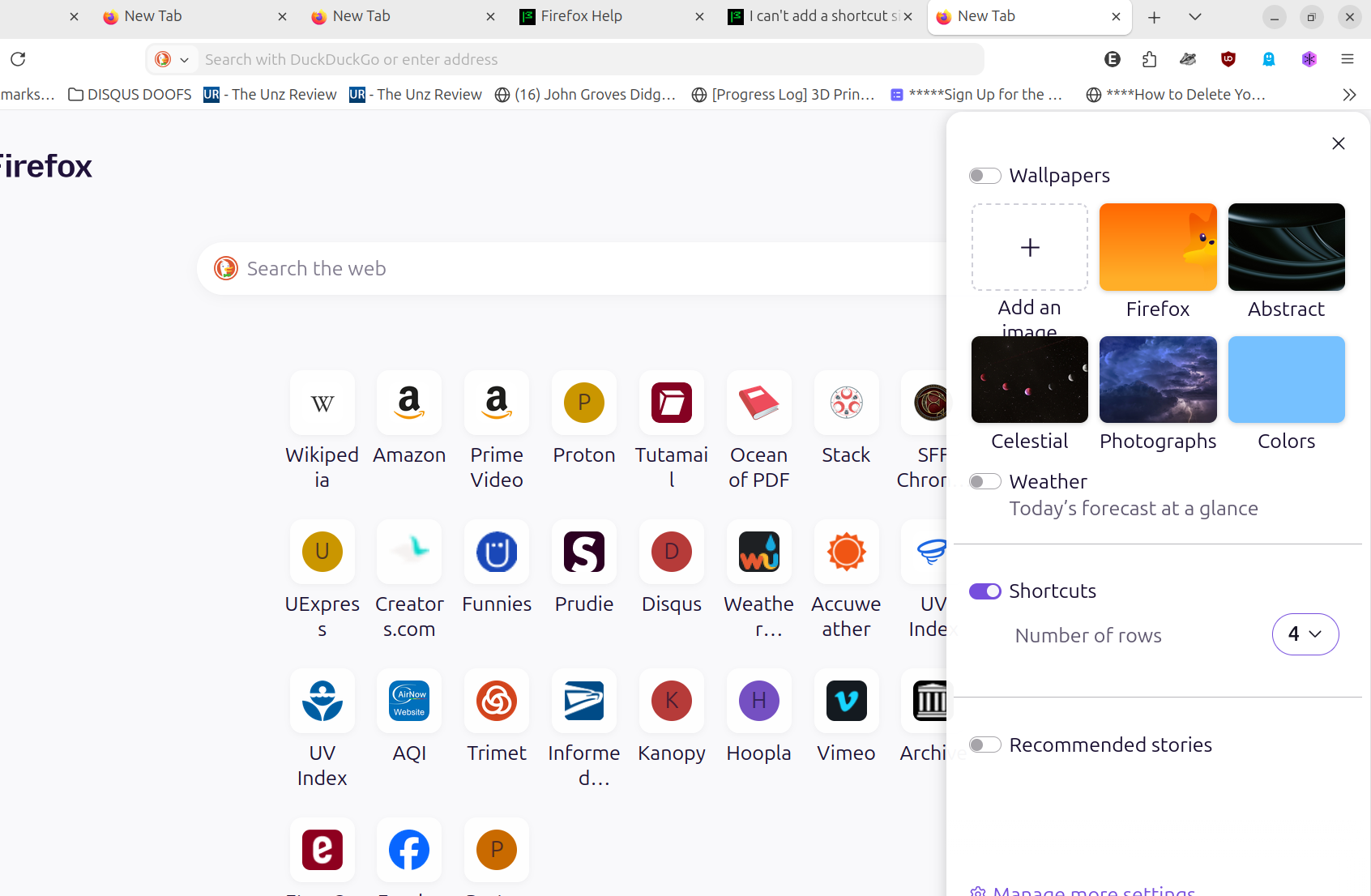
I already have 4 rows (since 2013 over many Linux laptops. Ubuntu, Mint, popOS, and now Ubuntu 26.04 LTS).
There is room in the fourth row for a few more. BUT I don't see any icon or link or right-click option to add another!
Phrasing the article search various ways gets me a lot of unrelated stuff.
EVERY help article, of which there are few, seems to have a BIG-ASSumption that everyone is using mobile Firefox.
NO! NO three dots. No right click brings up anything. NOTHING in settings. I've been through everything in the 3-bar menu, and there is NOTHING. (I already use it to sync, go to OTHER settings, go to help, etc.)
This is a day after an update, though I don't know how that affects it.
Usually if I forget how I did something, I just explore and find it. BUT --
My way of adding new shortcuts seems to be GONE.
Solusi Terpilih
This sounds like a corrupted list/data, and the "null" items you refer to sound like something that's not intended to be there, and that's what's seemingly taking your shortcut space.
(Since you seem to be able to work with the JSON directly, please back up the value before the steps below so you can always go back to it.)
If you just remove the null entries from your pinned list object, would the expected "+" be shown now, and do you regain the ability to fill all the tiles as the grid would seem to allow?
If that helps, would you mind filing a bug in this component bugzilla.mozilla.org/enter_bug.cgi?product=Firefox&component=New%20Tab%20Page describing the scenario above (where "null" pins are taking up your shortcut spaces/counts without being shown, causing confusing results and limiting the number of possible tiles shown)?
Semua Balasan (6)
Well I do have "three dots" menu on the tiles upon hovering them on desktop, and a menu item to add a tile seems to be under that menu, so… I'd say the directions sound spot on?
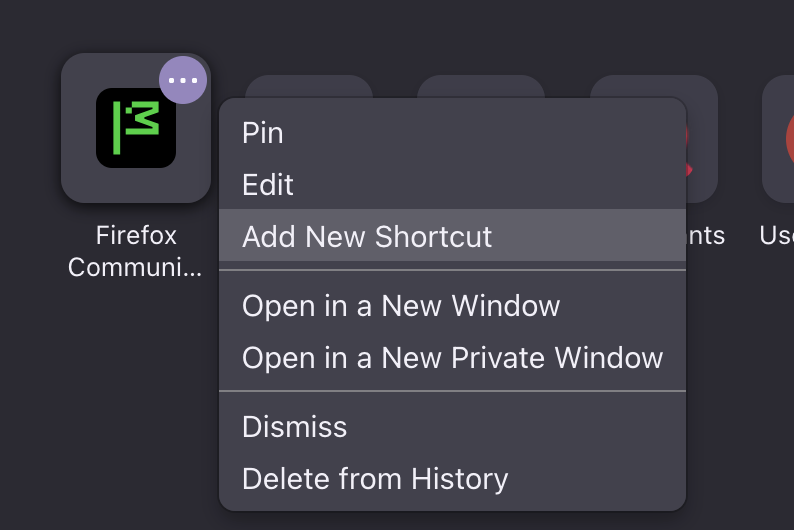
That, so far, was useless. I'm attaching a screenshot WITH the three NON-dots expanded into the menu I use all the time, but without a homepage setting. (Beyond the settings I've already set, ie set to 4 rows.)
Diperbarui oleh Eirann pada
Can you remove one and add one back?
i.e. is a functional issue or a limit issue as the idea clearly is for there to be 32
Diperbarui oleh amoun pada
A1) Yes: I preferred not to remove one, since I had 29 of 32, but did so easily enough, as always. A2) Yes: When I removed one at lower left, for the FIRST time, the page had the time-honored "+" icon REappear for me to add to the 28. When I did so, and was back up to 29 shortcuts, I no longer had the "+" icon that I had used, iirc, since 2013.
A3 extra) Since the editing/pin/unpin menu on the 29th had the menu option of "add a new shortcut" and no longer a "+" icon to add another, I added it using that. (i.e the 'add new' option in the menu of an existing shortcut, although clicking rather than hovering is needed to activate it.)
That brings it up to 30 of 32 filled.
However, it added it to the top right, the #1 position. My memory of being able to move them may be wrong. (At least for Linux.) Perhaps my moving the "null" in about:config would change it?
It has been an interesting series of empirical attempts to change things without programming knowledge...
I have (and then reversed each back to original settings):
1) changed my settings to remember history 2) allowed sponsored shortcuts 3) deactivated all my extensions 4) gone to about:config then browser.newtabpage.pinned and moved the "nulls" to the end, instead of having them scattered earlier in the list
1) Remembering history did not get me new add-shortcuts icons. (in the form of the "+") 2) Allowing sponsored shortcuts got me 2 new shortcuts, but their editing options do not include "pin" or "unpin". 3) Deactivating my extensions did not help. 4) Moving the "null" text didn't change anything I could see.
I have 30 of my 4 rows of 8 shortcuts each filled, with room for 2 more in the lower left.
Silly of me: Moving "null" to the end would, I'd think, simply shuffle the region to which they're added. Lower left instead of top right. (Again, no "+" icon that I had always used threw me off.)
Re moving them: I may have used the inelegant solution of just removing then adding them in the order I wanted -- with similar themes such as video sites at least adjacent rather than scattered.
Diperbarui oleh Eirann pada
Solusi Terpilih
This sounds like a corrupted list/data, and the "null" items you refer to sound like something that's not intended to be there, and that's what's seemingly taking your shortcut space.
(Since you seem to be able to work with the JSON directly, please back up the value before the steps below so you can always go back to it.)
If you just remove the null entries from your pinned list object, would the expected "+" be shown now, and do you regain the ability to fill all the tiles as the grid would seem to allow?
If that helps, would you mind filing a bug in this component bugzilla.mozilla.org/enter_bug.cgi?product=Firefox&component=New%20Tab%20Page describing the scenario above (where "null" pins are taking up your shortcut spaces/counts without being shown, causing confusing results and limiting the number of possible tiles shown)?
Interesting empirically finding out by trying it without programming knowledge..... A: Yes, deleting the "null"s brought back the "+" icon to add a shortcut.
Since I had already followed AI instructions to try changing newtabpage.pinned only by *moving* the nulls, and then reverting to my saved original, I decided to try deleting the nulls.
I first deleted some newly added shortcuts that appeared at my homepage top right to have a few spaces to work with, and removed the "null"s.
That did indeed make the (decade-long used) "+" signs appear. (The menu of any existing shortcut also offered the option, but the long-used "+" way of adding had still disappeared until I deleted the nulls.)
I hadn't added the nulls in the first place, Nor opened about:config browser.newtabpage.pinned before. Just followed AI directions and looked at results after attempting changes.
I'm creating an account with Bugzilla.
Diperbarui oleh Eirann pada