


I have problems with my Orcon emails and they say it is Thunderbird.

On Saturday morning 27 June 2026 I tried to login my Orcon email account via Thunderbird (which I have been using for a long time). But my login didn't work, I got a message saying "login to POP3.orcon.net.nz with username habitation failed." On 30th June 2026 I reported the problem to Orcon.
Orcon gave me the following settings for Thunderbird. I have done that and even made a new account: Incoming Server Type: IMAP Mail Server: imap.orcon.net.nz Port: 143 SSL: Off Authentication: On (username and password required)
Outgoing SMTP Server: Mail Server: smtp.orcon.net.nz Port: 25 SSL: Off Authentication: Off
Since then I have spent many hours and going around in circles with Orcon's Technical Support to resolve this, but no luck. They blame Thunderbird. I used Thunderbird Troubleshoot Mode. The message that comes up reads: login to server mail orcon.net.nz with username habitation failed. Please can you check that your server settings above are correct? And if there is a bug? Irma
Semua Balasan (27)

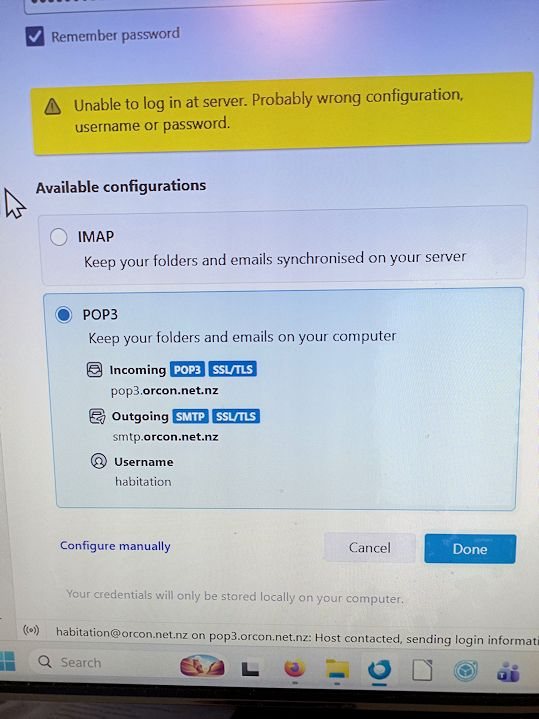
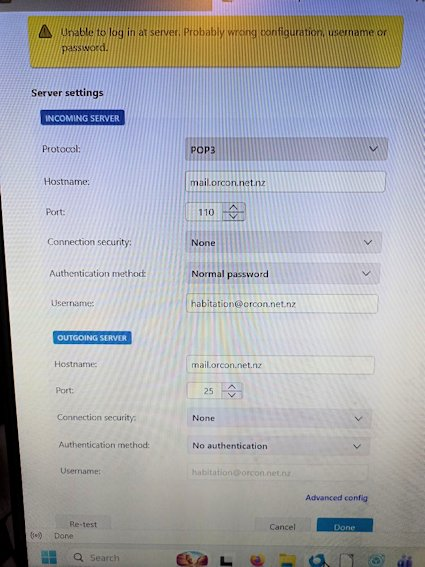
You've set the account up as POP, but you have Incoming Server Type: IMAP and Mail Server: imap.orcon.net.nz.
Decide if you want POP or IMAP, then see https://help.2degrees.nz/Orcon/Tech_Support/Orcon_email_settings for how to set it up.
Either way, at this point just delete the account and re-create it how you want it.

Ed, if the account is set up as POP in Thunderbird, won’t deleting it lose messages?
Rick said
Ed, if the account is set up as POP in Thunderbird, won’t deleting it lose messages?
Hmm yeah, but OP says they made a new account which they still can't log into. Still recommend trying a new account w/the settings referred to.
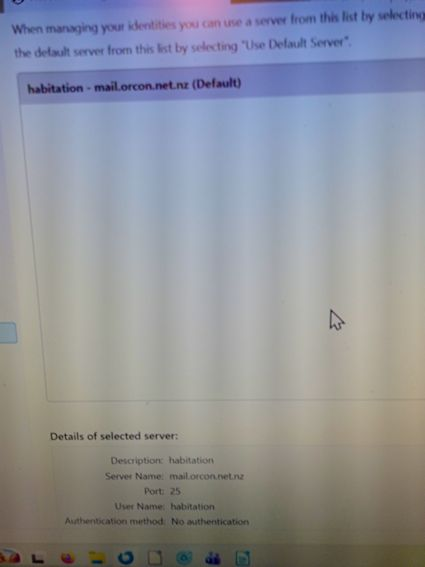
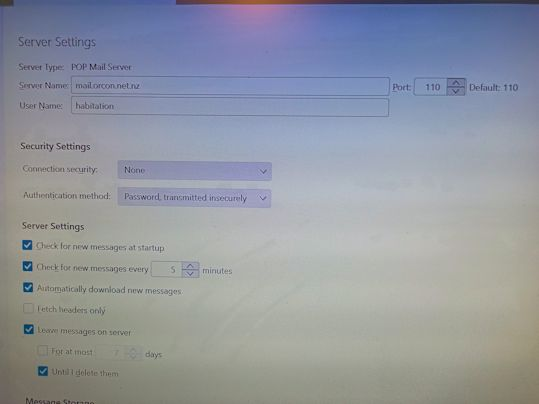
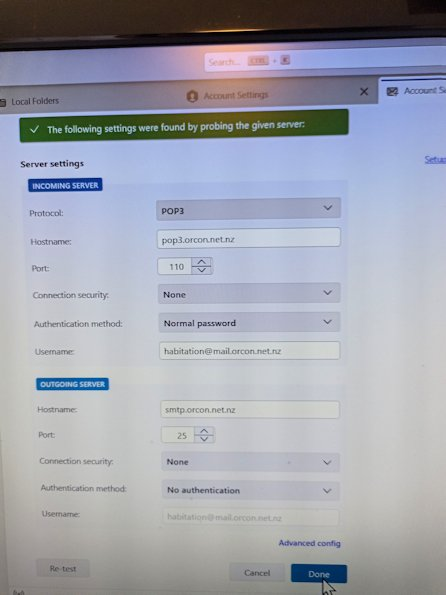
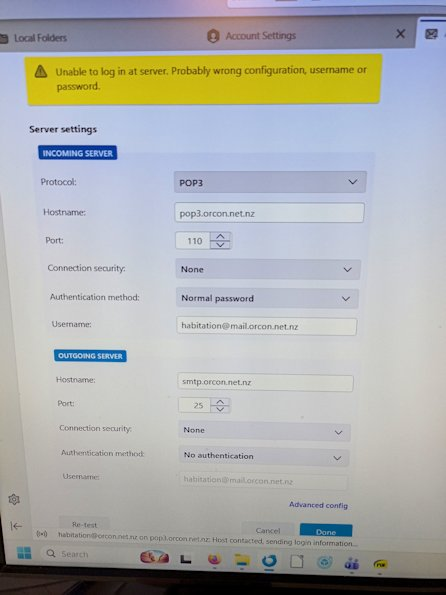
Hi Ed I have tried as you said but no luck. See screenshots attached. Irma
Ed said
Rick said
Ed, if the account is set up as POP in Thunderbird, won’t deleting it lose messages?Hmm yeah, but OP says they made a new account which they still can't log into. Still recommend trying a new account w/the settings referred to.
I interpret Irma’s first message to mean that there are two accounts: one that was not working and a new one. So I am concerned about guidance to delete an account because the first one may be a POP account with local-only data. Ed, you were referring to the second account. I am just being careful.
Irma, do you have one or two accounts set up in Thunderbird?
One account as you can see on the first screenshot. Irma
Under Server Settings, User name has to be name@mail.orcon.net.nz, not just name. Same thing for the SMTP server.
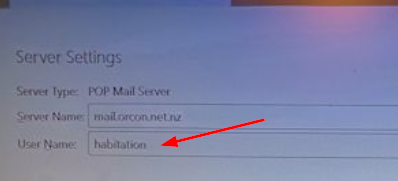
HI Ed As you can see from the screenshots: no luck. Irma
Irma van der Linden said
HI Ed As you can see from the screenshots: no luck. Irma
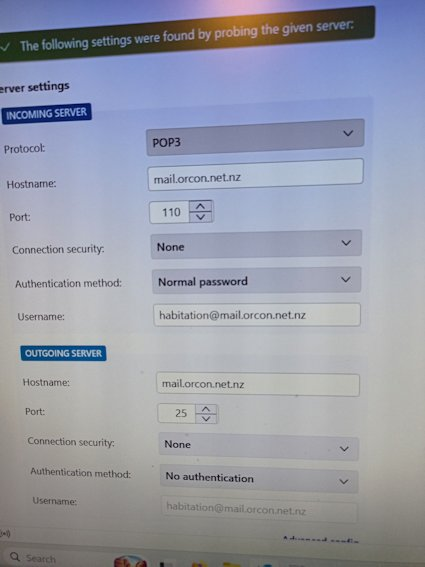
According to the documentation, there is no pop3 in the server name. Try changing it to mail.orcon.net.nz.
Hi Ed Tried it, locked promising and then.... see screenshots Irma
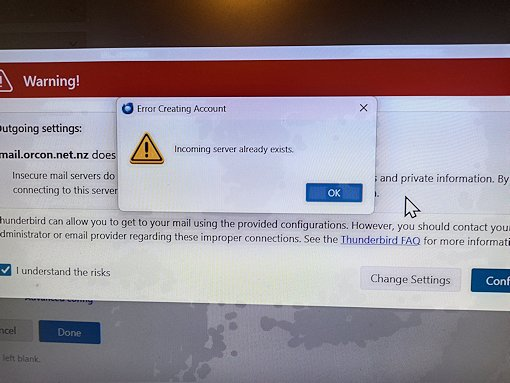
See https://support.mozilla.org/en-US/questions/1113865#answer-855172. Probably should copy that folder somewhere before deleting it. Once you restart TB, you'll have to go through the account setup again.
HI Ed No luck. Is it possible that you can access my computer with Teamviewer or ... ?? Irma
Irma van der Linden said
HI Ed No luck. Is it possible that you can access my computer with Teamviewer or ... ?? Irma
No, sorry. What was the error this time?
see screenshot
Irma van der Linden said
see screenshot
- Make sure site and third party cookies are allowed in Thunderbird
- Do not use a VPN while attempting to authenticate your account
- Make sure there is no application running on your computer which is blocking local TCP port 80, e.g. a local web server
Hi Ed Sorry, but I don't know how to do all that. I tried to set Thunderbird up - see screenshots. What do I do wrong? Irma
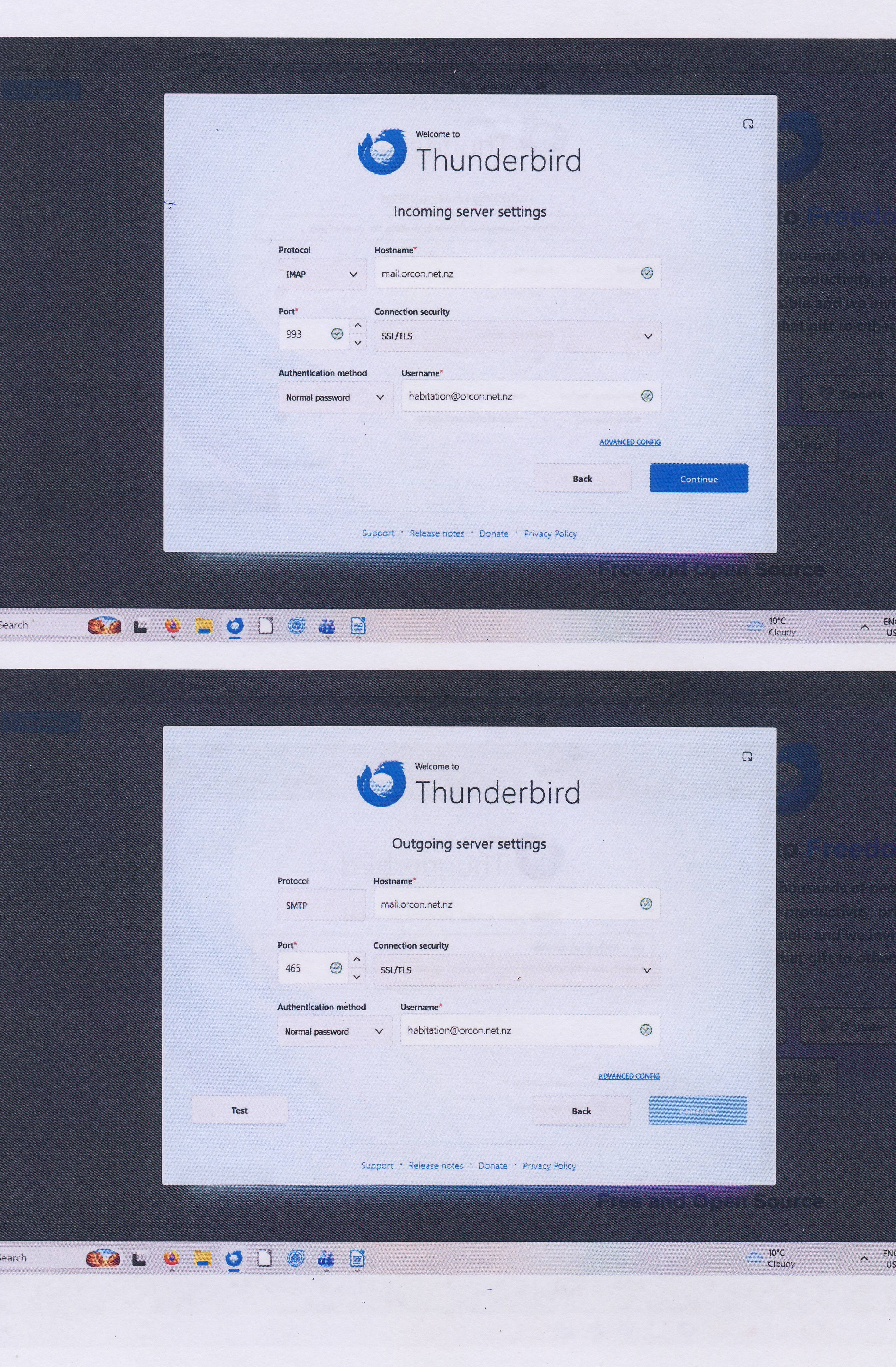
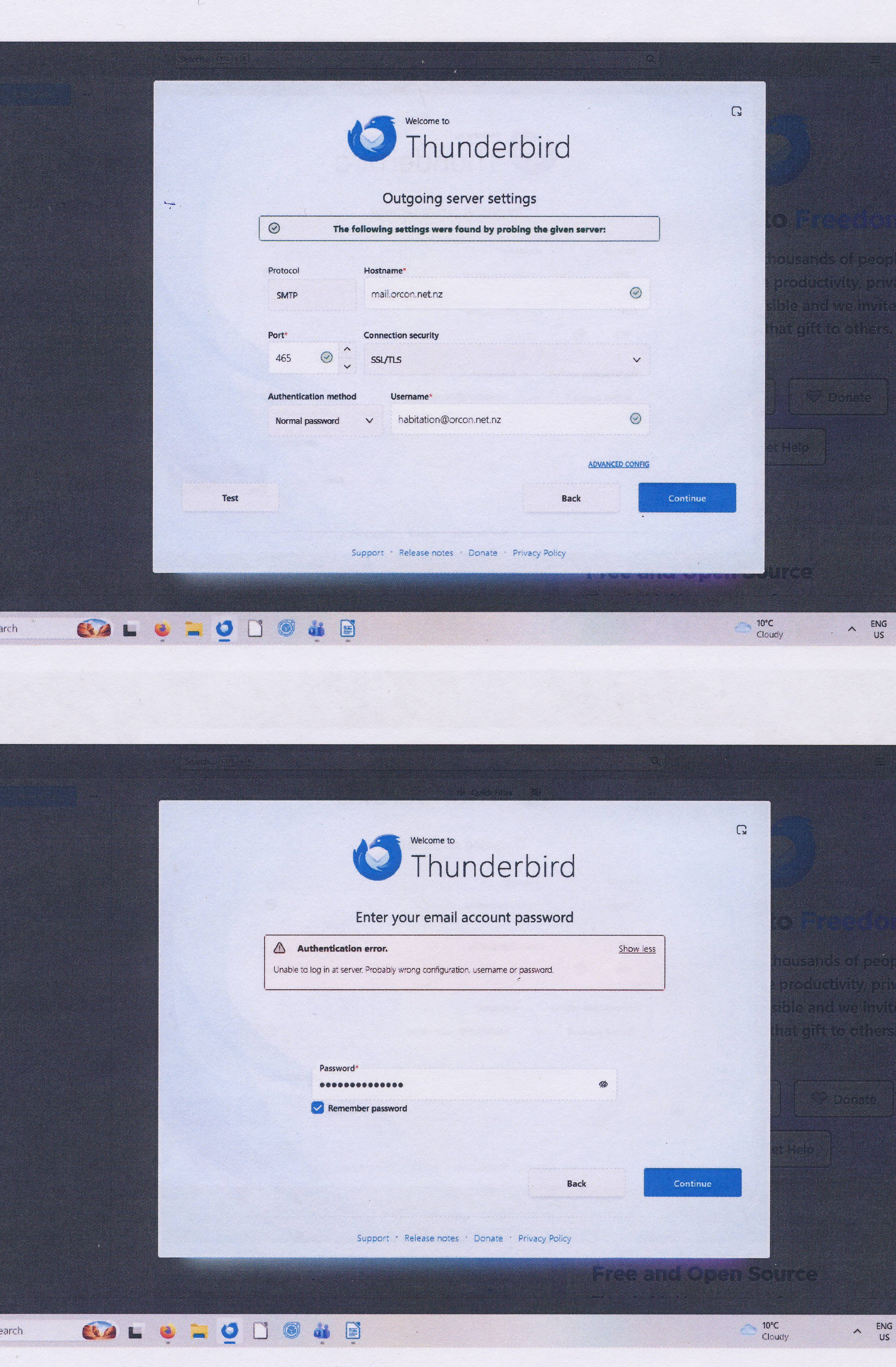
Go to TB menu > Settings > search for cookies. Make sure 'Accept cookies from sites' and 'Accept third party cookies' is set to Always. You would most likely know if you're using a VPN or if there's an application running on your computer which is blocking local TCP port 80.
The IMAP setup looks right. Try the other authentication methods - normal and encrypted password.
I've been presuming you can log into your email via the web interface - https://webmail.orcon.net.nz/. Correct?
Hi Ed First thank you for being so patient with me.
Yes I can get emails via Orcon webmail and my password works. So I know that my password is correct. I am not using VPN. About the TCP port 80 blocking or not: I don't know how to do/check that.
But can I go a step back where I have deleted Thunderbird via your instructions (I saved a copy of the old TB folder on my computer). Then I went to TB website and downloaded TB. Was that wrong? Because I can't see TB menu-Settings.
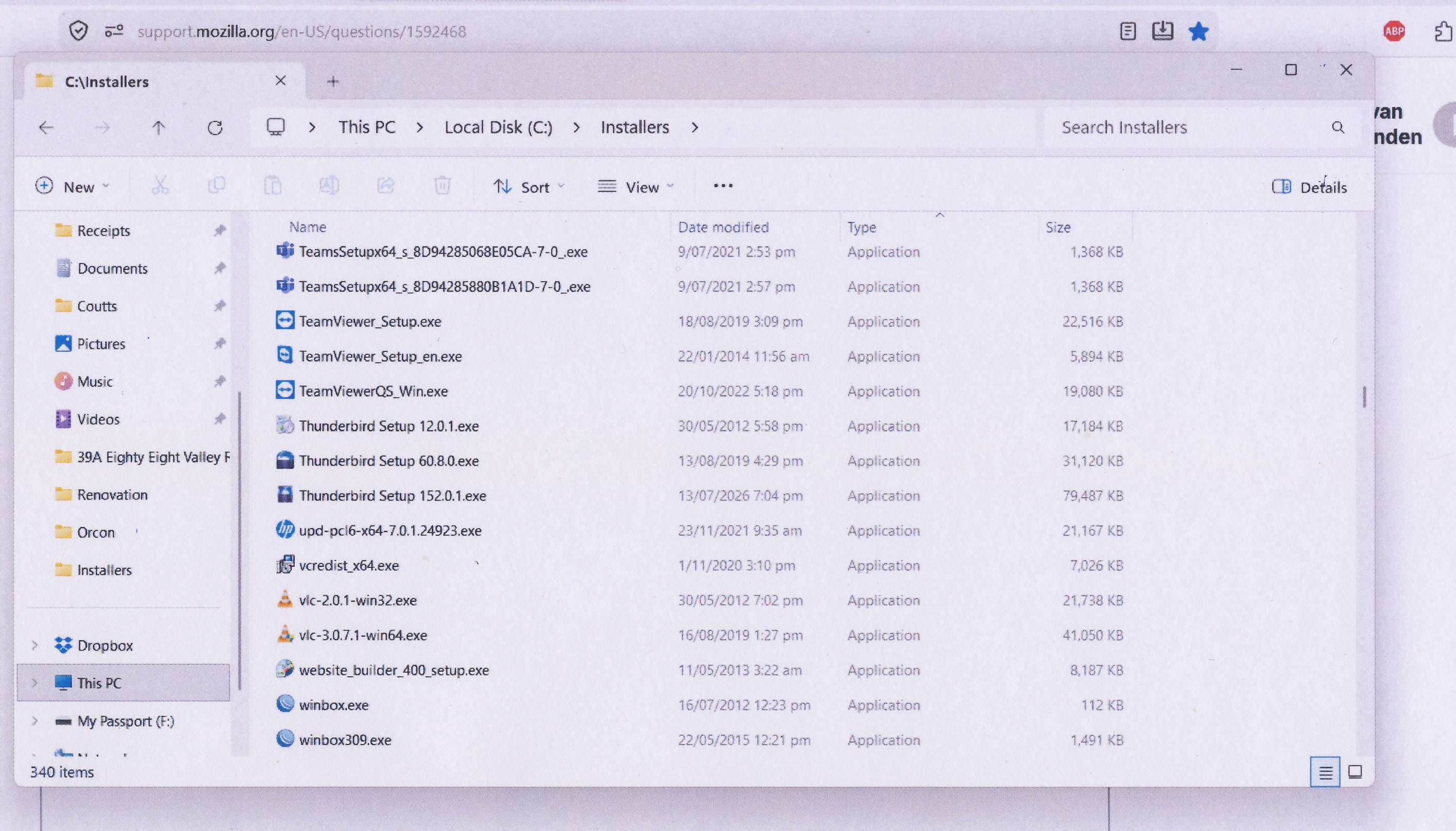
Also I see that I have 2 older TB folders in my computer - see screenshot. Do I delete them?
Irma
PS: I have found the cookies and it is on as you said. Irma
You don't need to delete those folders. Let's try Orcon's suggestion. Delete the profile folders, create a new IMP account, then go into account settings and make these changes:
Incoming Server Type: IMAP Mail Server: imap.orcon.net.nz Port: 143 SSL: Off Authentication: On (username and password required)
Outgoing SMTP Server: Mail Server: smtp.orcon.net.nz Port: 25 SSL: Off Authentication: Off