


Questions and consultations regarding the display of the Firefox title bar and Firefox settings.
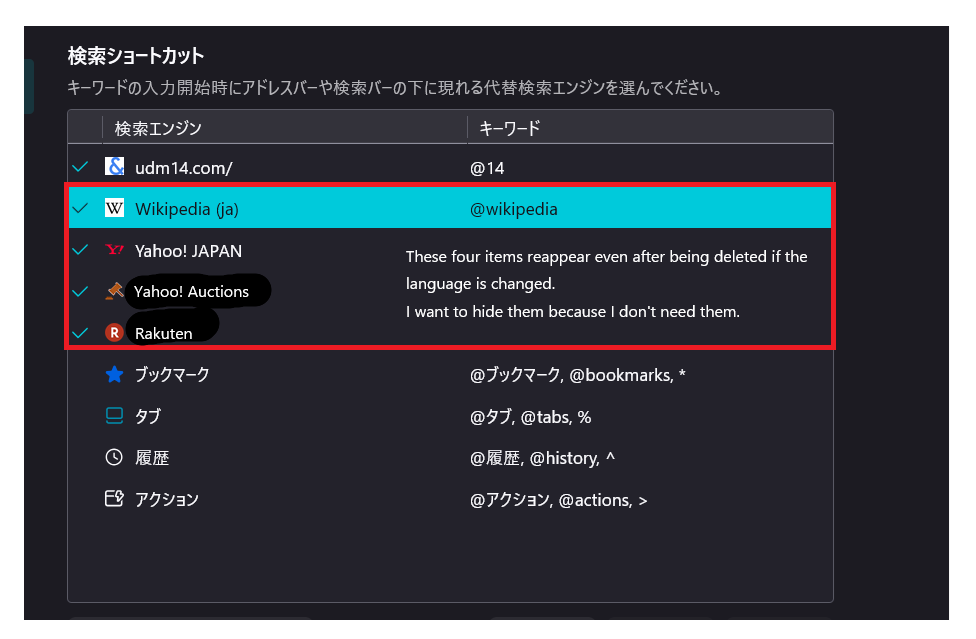
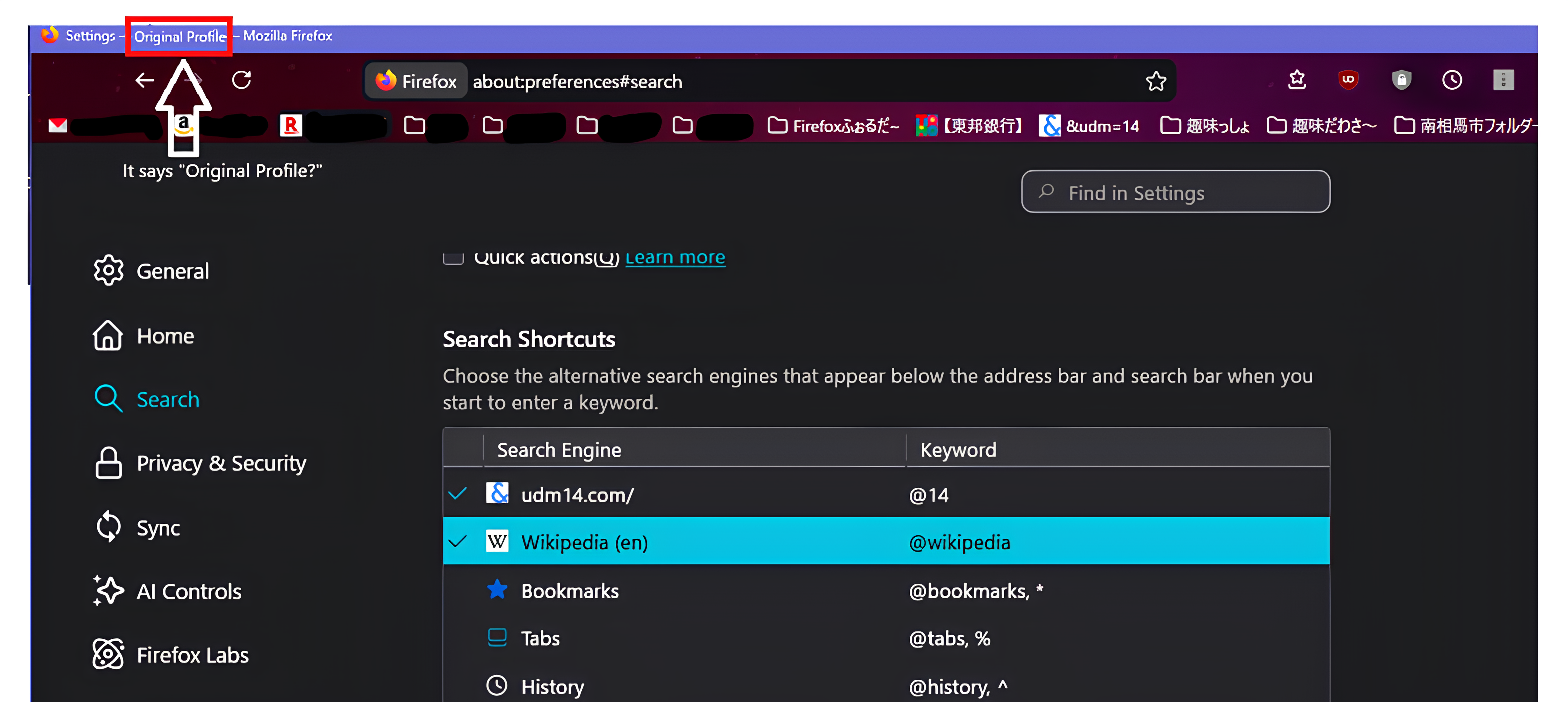
Thank you for your help. I have two questions and concerns. 1. The title bar of Firefox displays "Original Profile". I've been using it as is, as there aren't any particular problems, but it bothers me, so I'm asking if there's a way to hide it. My second question is: 2. In Firefox settings → Search → Search Shortcuts, unnecessary search engines are displayed. Even if I delete them, they reappear when I change the language in the settings. Is this a Firefox specification? Is there any way to prevent them from being displayed again after deleting them?
Solusi terpilih
Hi,
- The issue when a single profile name is displayed in the window title should be resolved in Firefox 150, which will be released on April 21. For reference, see bug 1976217. (Note that there's also a follow-up which will land in Firefox 151.)
- You should be able to uncheck them (and that will be saved on language change). The behavior you described is rather a bug (or an unconsidered use case), though. I believe what happens here is that we have different default search engine sets/order for different locales, and we don't care about manually removed ones when applying the set for the new locale. I filed bug 2032260 for this.
Semua Balasan (4)
Solusi Terpilih
Hi,
- The issue when a single profile name is displayed in the window title should be resolved in Firefox 150, which will be released on April 21. For reference, see bug 1976217. (Note that there's also a follow-up which will land in Firefox 151.)
- You should be able to uncheck them (and that will be saved on language change). The behavior you described is rather a bug (or an unconsidered use case), though. I believe what happens here is that we have different default search engine sets/order for different locales, and we don't care about manually removed ones when applying the set for the new locale. I filed bug 2032260 for this.
Hello Dennis. Thank you for the information. I'll wait a while until Firefox 150 is released on April 21st. If the issue isn't resolved by April 21st, I'll consider some kind of solution. The "delete/return search engine" issue isn't causing any major problems, so I'll wait and see for now. I really appreciate you providing the information. Thank you very much.
An update regarding the issue with search shortcuts (quoting the developer):
I've just tested this and noticed that after step 4 [after changing language and returning to the Search Shortcuts table], if you reload the settings page or reload the application, then the shortcut is removed. Hence this is a visual glitch on the settings UI. We are currently nearing completion of a settings redesign which instead of removing the application provided shortcuts, it has a toggle and shows them as disabled. Testing this bug with the new UI, gives the result that at step 4, the shortcut is shown as disabled (without needing to reload). The new UI is currently targetted for FF 152.
Does the same happen for you? I wanted to check myself, but for some reason I haven't been able to reproduce this today at all (even though I was able yesterday...)
Hello Denys. Thanks to the information you provided, I was able to confirm that changing the language, reloading the page, and removing the unwanted search engine from the search shortcuts works. I've tried the same thing several times, and so far, it's no longer showing up in the search shortcuts. Thank you for the information.