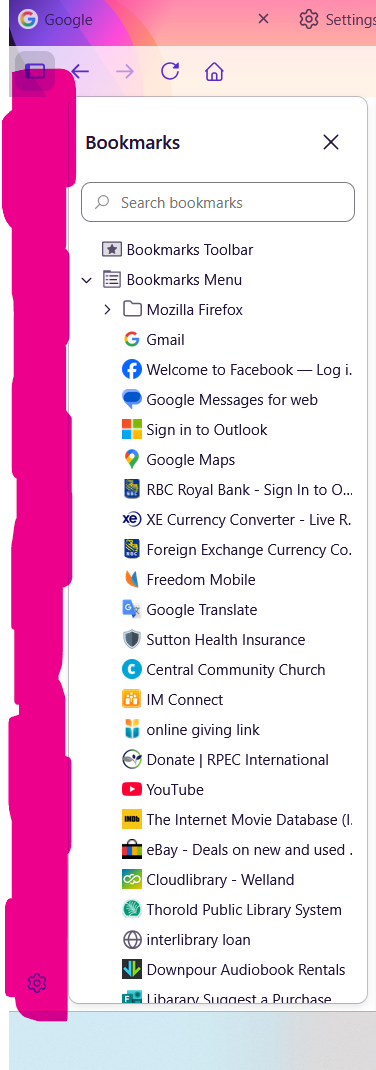
How can I remove the settings from my sidebar?

Hi All:
I just got a new laptop and so I am getting everything set up the way that I like it. I have come across a problem with my sidebar though. I like to keep my bookmarks up all the time, but I want them to not be too wide and take up a lot of my screen. On this new computer, there's an addition 5 cms or so of white space at the far left of the tool bar. It had different buttons on it up at the top (one of them had something to do with AI) and a little gear down at the bottom of the space. I was able to remove all of the buttons up at the top, but I can't seem to hide the whole thing. I just want to see my bookmarks, without that extra customization sidebar. Is there a way to hide the spot highlighted in pink, but still have the bookmarks visible?