After my last update a sidebar appeared on my screen that I do NOT want. How do I delete it?

I don't want the left or right sidebars on my screen, how do I delete them?
I don't want the left or right sidebars on my screen, how do I delete them?
Semua Balasan (1)
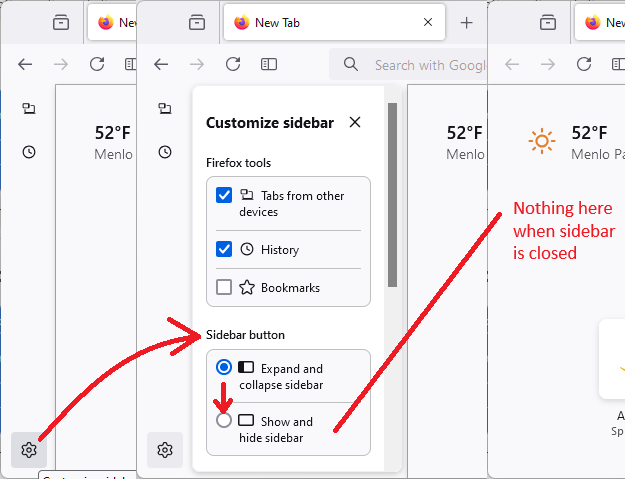
Hi Daniel, you should also notice a Sidebars button near the Back/Forward/Reload buttons. Using the gear button in the vertical button bar you can set that button to completely close the sidebar. Here's a pictorial guide to what I mean:
Success?