


ff default mail keeps asking

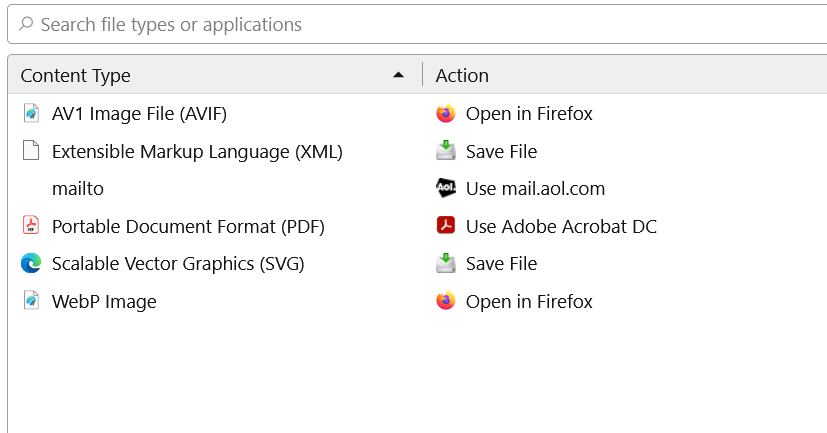
I recently bought a new computer will W11. I've set FF as the default browser and email provider- at least, I thought so. Let me explain. Whenever I get an attachment It keeps asking me what do I want to use to open it. You will see from the screen shot FF is the default provider. I also checked W11 default apps and FF is set as the default mail provider. So I'm confused as to why it keeps asking me what provider I should use. I would appreciate anyone's comments. Thanks
Semua Balasan (2)

Attachments can be a lot of different formats (.pdf, .docx, .png, etc.), so even if your default email provider is Firefox, the app that handles the attachment is not necessarily Firefox.
For instance, if you get a Word document (.docx) as an attachment, Firefox will not be able to open it. And if you don't have Microsoft Word installed you cannot open the file.
You can change which app you use to open a specific type of file in Windows Settings->Apps->Default Apps->Choose Defaults by File Type (it is at the bottom).
You can right-click an item in the Downloads panel and choose "Always Open Similar Files" to make it open automatically and add this action to "Settings -> General -> Applications". You can change the "Save" action to "Always Ask".