


How to create multiple policies into "policies.json" ?

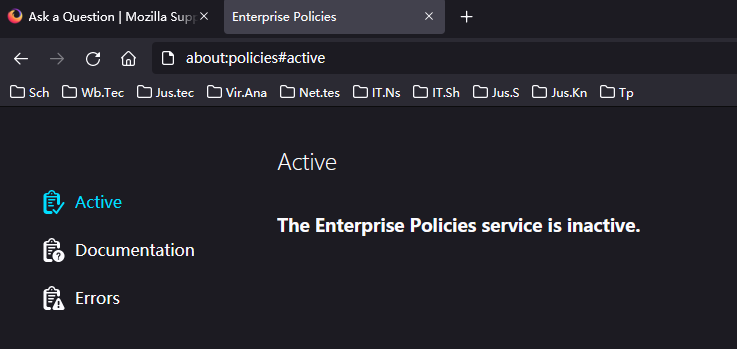
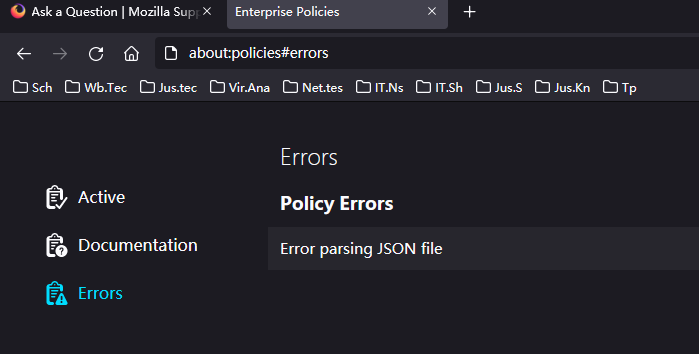
Excuse me ! I'm running one policy, and I want to create another into this file "policies.json". After editing, it doesn't work.Like this:
Path: C:\Program Files\Mozilla Firefox\Distribution\policies.json
//It is the way to block "about:config" from github.com,and it works. { "policies":{ "BlockAboutConfig":true } }
//Now I create another policy. { "policies":{ "BlockAboutConfig":true "BlockAboutAddons":true } }
//Or like this,they don't work. { "policies":{ "BlockAboutConfig":true } } { "policies":{ "BlockAboutAddons":true } }
So please ! Anybody could tell me how to use the grammar about "policies.json" ? Thank you very much !
Semua Balasan (2)
Solusi Terpilih
Hi, you need a comma between each of the property: value pairs in an object. For example
{
  "policies": {
    "BlockAboutAddons": true,
    "BlockAboutConfig": true
  }
}
You may also see examples with square brackets where a property takes an array of values, but that's a story for another day.
Note that there shouldn't be a comma before a closing curly bracket (})
You can use JavaScript like this to test the code in the Web Console or Browser Console.
- JSON.parse(prompt("Paste JSON code",""));
